
Video library
GoHighLevel Calendar and Booking Tutorials
These tutorials cover calendars and booking in GoHighLevel. You learn to connect Google Calendar so you never double-book, generate dynamic Zoom links for meetings, import from Calendly, and display multiple calendars on one page. Booking is where a lead becomes an appointment, so the sync has to be reliable. Start by connecting your Google Calendar, then add the Zoom integration for online calls.
Updated June 2, 2026
All Calendars & Booking tutorials
 1:54Generate Dynamic Meeting Links with the GoHighLevel Zoom Integration13K views
 4:19How to Update Meeting Location with a Dynamic Zoom Link in GoHighLevel12K views
 2:52Create a GoHighLevel Calendar and Connect It to Google Calendar9.9K views
 6:07How to Integrate Calendly with GoHighLevel Calendars9K views
 2:31How to Display Multiple GoHighLevel Calendars on One Page6.9K views
 5:53How to Create an Appointment Reminder Campaign in GoHighLevel5.5K views
 3:54How to Create a Round-Robin Calendar in GoHighLevel4.8K views
 11:48Service Calendar Setup Guide for a Hair Salon in GoHighLevel4.5K views
 3:01How to Use Custom Forms in GoHighLevel Service Menu Calendars4.2K views
 1:25How to Embed a GoHighLevel Calendar on Any Page3.8K views
 4:27GoHighLevel Workflow Recipe: Appointment Confirmation and Reminders3.8K views
 9:22How to Set Up a Service Calendar for an Automotive Detailing Business3.7K views
 1:08How to Block Off Dates and Times in Your GoHighLevel Calendar3.5K views
 3:46How to Customize Your GoHighLevel Calendar Widget3.4K views
 4:07How to Set Up and Manage Rental Calendars in GoHighLevel970 views
 5:58How to Set Up Appointment Reminders and Confirmations in GoHighLevel911 views
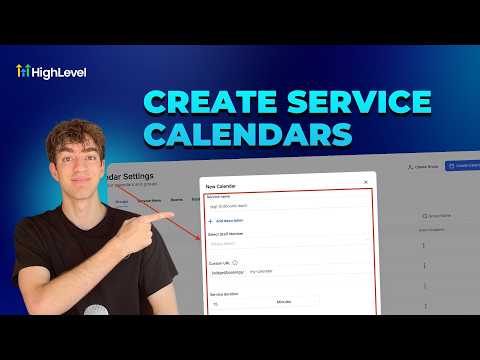 4:33How to Create a Service Calendar in GoHighLevel870 views
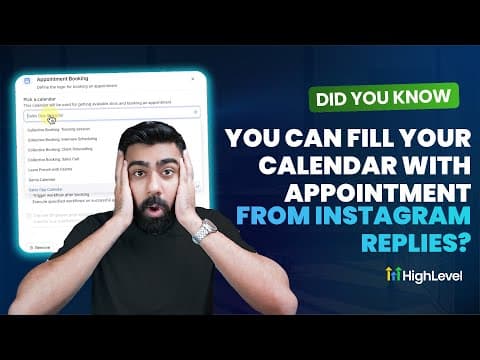 9:59How to Book Appointments Automatically from Instagram Replies in GoHighLevel859 views
 2:04How Smart Calendars in GoHighLevel Automate Confirmations and Reminders546 views
 3:42How GoHighLevel AI Books Appointments Around the Clock453 views
 2:09How to Automate Client Check-Ins and Progress Updates in GoHighLevel436 views
 1:59How to View Custom Form Submissions Inside the GoHighLevel Appointment Modal422 views
 2:43How to Set Up an Event Calendar in GoHighLevel416 views
 3:03How to Set Up a Round Robin Calendar in GoHighLevel309 views
 1:20How to Collect Upfront Payments for Appointments in GoHighLevel274 views
Related topics
- CRM, Contacts & Lead GenRun the CRM: tags, custom fields, inbound webhooks, owners, smart lists, and opportunities across your pipelines.
- Workflows & AutomationBuild workflows from triggers and actions: spam management, Facebook and Instagram automation, the chat widget, and conversions back to the ads platform.
- Forms & SurveysCapture leads with forms and surveys: conditional logic, quizzes, submission tracking, math calculations, and styled surveys.
Questions people ask
Does GoHighLevel sync with Google Calendar?
Yes. Connecting Google Calendar checks your real availability so you avoid double-booking.
Can I add a Zoom link to bookings?
Yes. The Zoom integration creates a unique meeting link for each appointment.
Can I move from Calendly to GoHighLevel?
Yes. You can import your Calendly setup into HighLevel calendars.
Can I show more than one calendar on a page?
Yes. You can display multiple calendars together on a single booking page.