RocketLauncher AI

Calendars & Booking

How to Use Custom Forms in GoHighLevel Service Menu Calendars

By Marnix Geerkens. Published 2024-04-04. Updated 2026-06-02.

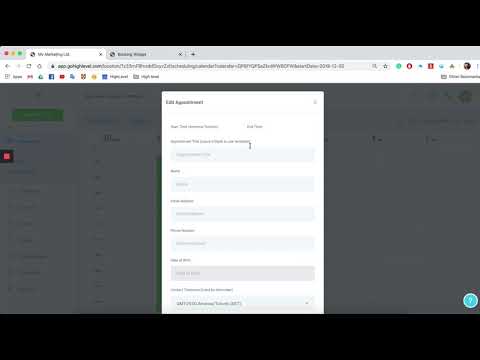
Service menu calendars in GoHighLevel normally collect only a name, email, and phone number at booking. You can replace that default form with a custom form that asks any additional questions you need. Build the form in the Forms Builder under Sites, then link it to your service menu calendar through Calendar Settings.

Watch it, then build it

Get the full platform free for 30 days

That walkthrough runs on GoHighLevel. Start it free through RocketLauncher and you get 30 days instead of the usual 14, the whole platform unlocked, plus our setup help and a community of thousands of builders in 47+ countries.

30 days, not 14Full platform, nothing held backFree community and setup help

We earn a referral commission if you keep GoHighLevel after the trial. It never changes your price.

Summary. GoHighLevel allows you to attach a custom form to a service menu calendar, replacing the default contact fields with questions tailored to your business. The form is created separately in the Sites section and then selected inside the service menu calendar settings. Anyone booking through that service menu will complete your custom questions during the scheduling flow. Setting up a service menu calendar also requires enabling the Service Menu toggle in Preferences and organizing calendars into groups first.
Related tutorials

Service Calendar Setup Guide - Hair Salon
Service Calendar Setup Guide - Hair Salon11:48 · Calendars & Booking
Embed a HighLevel Calendar
Embed a HighLevel Calendar1:25 · Calendars & Booking
Workflow Recipes: Appointment Reminder + Reminders
Workflow Recipes: Appointment Reminder + Reminders4:27 · Calendars & Booking
How to Set Up a Service Calendar - Automotive Detailing - intro
How to Set Up a Service Calendar - Automotive Detailing - intro9:22 · Calendars & Booking
How to create Round-Robin Calendars
How to create Round-Robin Calendars3:54 · Calendars & Booking
Turn off the calendar for certain date or time
Turn off the calendar for certain date or time1:08 · Calendars & Booking

Watch it, then build it

Get the full platform free for 30 days

30 days, not 14Full platform, nothing held backFree community and setup help

Frequently asked questions

Where do I build the custom form before attaching it?

Go to Sites, then Forms Builder. Create your form there, then return to Calendar Settings to link it.

Does the custom form replace the default name and email fields?

The custom form replaces the default booking form entirely. Include any fields you still need in your custom form.

What do I need before I can create a service menu calendar?

Enable the Service Menu toggle in Preferences, create at least one service-type calendar, and add it to a group.

Back to all Calendars & Booking tutorials