RocketLauncher AI

Calendars & Booking

How to View Custom Form Submissions Inside the GoHighLevel Appointment Modal

By Marnix Geerkens. Published 2025-09-30. Updated 2026-06-02.

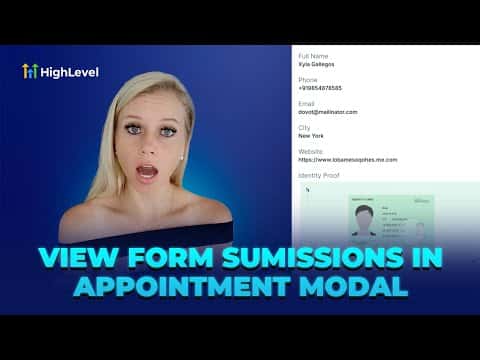
When a booking includes a custom intake form, the responses are viewable directly inside the appointment details panel. Open the calendar view, click the appointment, and select the form submissions icon in the sidebar. All fields from the intake form appear there, including file uploads and digital signatures, without navigating away from the calendar.

Watch it, then build it

Get the full platform free for 30 days

That walkthrough runs on GoHighLevel. Start it free through RocketLauncher and you get 30 days instead of the usual 14, the whole platform unlocked, plus our setup help and a community of thousands of builders in 47+ countries.

30 days, not 14Full platform, nothing held backFree community and setup help

We earn a referral commission if you keep GoHighLevel after the trial. It never changes your price.

Summary. This short walkthrough explains how to access custom form data collected during appointment booking through the GoHighLevel calendar view. Rather than switching to the contacts area or a separate form results page, the appointment modal provides a dedicated form submissions tab that surfaces all intake answers in one place. This is useful for any booking that requires pre-call preparation based on what the client submitted.

Related tutorials

How To Set Up Event Calendars in HighLevel
How To Set Up Event Calendars in HighLevel2:43 · Calendars & Booking
Did You Know Marketing Agencies Can Automate Client Check Ins with HighLevel?
Did You Know Marketing Agencies Can Automate Client Check Ins with HighLevel?2:09 · Calendars & Booking
Did You Know HighLevel AI Can Book Appointments While You Sleep?
Did You Know HighLevel AI Can Book Appointments While You Sleep?3:42 · Calendars & Booking
How To Set Up Round Robin Calendars in HighLevel
How To Set Up Round Robin Calendars in HighLevel3:03 · Calendars & Booking
Did You Know You Can Simplify Client Scheduling with Smart Calendars in HighLevel?
Did You Know You Can Simplify Client Scheduling with Smart Calendars in HighLevel?2:04 · Calendars & Booking
Did You Know You Can Collect Upfront Payments for Appointments in HighLevel?
Did You Know You Can Collect Upfront Payments for Appointments in HighLevel?1:20 · Calendars & Booking

Watch it, then build it

Get the full platform free for 30 days

30 days, not 14Full platform, nothing held backFree community and setup help

Frequently asked questions

Does this work with the standard name, email, and phone form?

No. Standard fields appear in the contact record. Custom intake forms are required.

Can I see file uploads and digital signatures in the modal?

Yes. Uploaded files and signatures appear when you scroll through the form submissions tab.

Where do I attach a custom form to a calendar?

In the calendar's Advanced Settings under Forms and Confirmation.

Back to all Calendars & Booking tutorials