AI & Voice Agents
How to Configure Agent Studio Triggers in GoHighLevel
By Marnix Geerkens. Published 2026-03-20. Updated 2026-06-02.
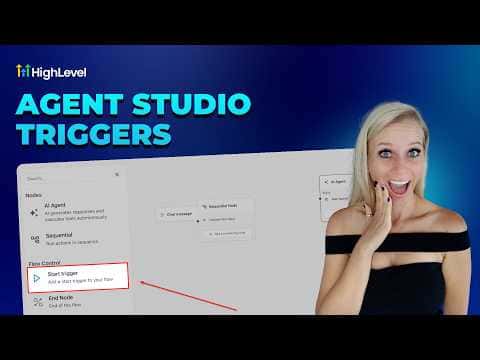
Agent Studio triggers in GoHighLevel start an AI agent automatically when a specific event occurs, such as a form submission, a tag being added, or a chat message arriving. The agent runs in the background without interfering with existing workflows, making this approach well suited to high-volume situations where you need fast, event-driven responses at scale.
Watch it, then build it
Get the full platform free for 30 days
That walkthrough runs on GoHighLevel. Start it free through RocketLauncher and you get 30 days instead of the usual 14, the whole platform unlocked, plus our setup help and a community of thousands of builders in 47+ countries.
30 days, not 14Full platform, nothing held backFree community and setup help
We earn a referral commission if you keep GoHighLevel after the trial. It never changes your price.
Summary. Setting up a trigger inside Agent Studio is a matter of adding a Start Trigger node to the canvas and selecting the trigger type: form submitted, lead tag added or removed, chat message received, or a workflow event. Each trigger type exposes relevant variables to the agent, such as submitted form fields or contact tags, which the agent can reference in subsequent steps. A built-in test mode runs a safe simulation against a selected contact without affecting live records.
Want the full picture? Read more about GoHighLevel Voice AI and GoHighLevel AI agents.
Related tutorials
Watch it, then build it
Get the full platform free for 30 days
30 days, not 14Full platform, nothing held backFree community and setup help
Frequently asked questions
What trigger types are available in Agent Studio?
Form submitted, lead tag added or removed, chat message received, and workflow triggers.
Does saving an agent in Agent Studio publish it immediately?
No, saving stores a staging version. You must click publish to make it live.
Can Agent Studio triggers run at the same time as existing workflows?
Yes, agents run in the background without interfering with other active workflows.