RocketLauncher AI

AI & Voice Agents

Create a Growth Flywheel with AI Agents and Automated Messaging in GoHighLevel

By Marnix Geerkens. Published 2025-10-06. Updated 2026-06-02.

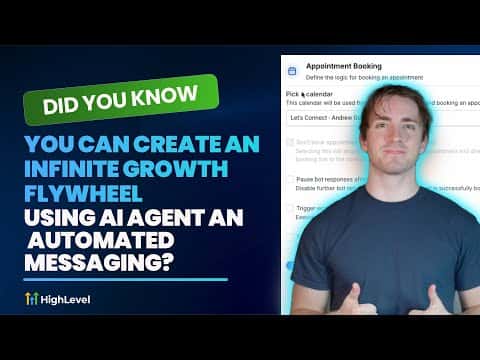
By combining a Conversation AI agent, a Voice AI agent, and a voicemail drop workflow in GoHighLevel, you can build a self-sustaining outbound and nurturing loop. Contacts receive a personal voicemail, then any reply by text or call gets handled by an AI agent, and qualified leads get booked automatically, all without manual intervention.

Watch it, then build it

Get the full platform free for 30 days

That walkthrough runs on GoHighLevel. Start it free through RocketLauncher and you get 30 days instead of the usual 14, the whole platform unlocked, plus our setup help and a community of thousands of builders in 47+ countries.

30 days, not 14Full platform, nothing held backFree community and setup help

We earn a referral commission if you keep GoHighLevel after the trial. It never changes your price.

Summary. This tutorial shows how three GoHighLevel components work together to create an automated sales loop. A Conversation AI agent handles inbound texts and books appointments. A Voice AI agent takes inbound calls when no one answers. A workflow with voicemail drops initiates outbound contact on a schedule, removing leads from the sequence the moment they respond. Together they replace manual follow-up for large lists.
Want the full picture? Read more about GoHighLevel Voice AI and GoHighLevel AI agents.

Related tutorials

How To Configure Agent Studio Triggers in HighLevel
How To Configure Agent Studio Triggers in HighLevel5:32 · AI & Voice Agents
How to Automate Review Responses with AI Agents
How to Automate Review Responses with AI Agents5:32 · AI & Voice Agents
How To Use HighLevel's Conversation AI to Automate Voice Message Replies
How To Use HighLevel's Conversation AI to Automate Voice Message Replies3:50 · AI & Voice Agents
How to Configure Language Options for AI Agents
How to Configure Language Options for AI Agents2:24 · AI & Voice Agents
How to Transform Your Chat Widget to Use a Voice AI Agent for Better Customer Interaction
How to Transform Your Chat Widget to Use a Voice AI Agent for Better Customer Interaction3:42 · AI & Voice Agents
How To Activate Image Analysis in HighLevel AI Bots
How To Activate Image Analysis in HighLevel AI Bots4:07 · AI & Voice Agents

Watch it, then build it

Get the full platform free for 30 days

30 days, not 14Full platform, nothing held backFree community and setup help

Frequently asked questions

What is a voicemail drop in GoHighLevel?

A workflow action that delivers a pre-recorded voicemail without the phone actually ringing.

How does the workflow know when to stop sending voicemails?

A condition removes the contact from the sequence the moment they reply by text or call.

Does this setup require any external calling tools?

No, all three components are native to GoHighLevel with no third-party tools needed.

Back to all AI & Voice Agents tutorials