RocketLauncher AI

AI & Voice Agents

How to Configure Language Options for Voice AI Agents in GoHighLevel

By Marnix Geerkens. Published 2025-08-18. Updated 2026-06-02.

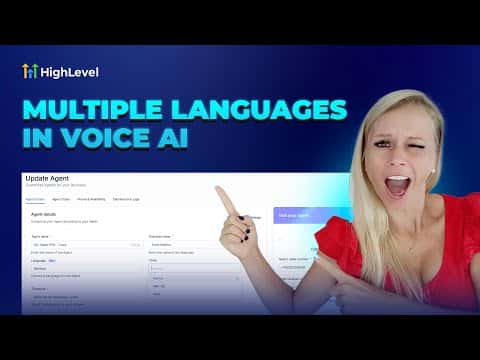
GoHighLevel Voice AI agents support multiple languages including English, German, French, Spanish, Italian, Dutch, and Brazilian Portuguese, with more being added over time. Each language has its own set of available voices. Setting the language correctly also means updating the agent's initial greeting message to match, while the main prompt can remain as-is since the system detects the language automatically.

Watch it, then build it

Get the full platform free for 30 days

That walkthrough runs on GoHighLevel. Start it free through RocketLauncher and you get 30 days instead of the usual 14, the whole platform unlocked, plus our setup help and a community of thousands of builders in 47+ countries.

30 days, not 14Full platform, nothing held backFree community and setup help

We earn a referral commission if you keep GoHighLevel after the trial. It never changes your price.

Summary. Language configuration for a Voice AI agent lives in the agent's settings under the language dropdown. After selecting a language, you choose a matching voice from the available options and update the initial message to reflect the chosen language. The rest of the agent prompt does not need to be translated. Each agent supports one language per configuration, so running agents for multiple languages requires creating a separate agent for each.
Want the full picture? Read more about GoHighLevel Voice AI and GoHighLevel AI agents.

Related tutorials

How to Transform Your Chat Widget to Use a Voice AI Agent for Better Customer Interaction
How to Transform Your Chat Widget to Use a Voice AI Agent for Better Customer Interaction3:42 · AI & Voice Agents
How to Automate Review Responses with AI Agents
How to Automate Review Responses with AI Agents5:32 · AI & Voice Agents
Did You Know You Can Have Multiple AI Agents Who Specialize in Different Parts of Your Business?
Did You Know You Can Have Multiple AI Agents Who Specialize in Different Parts of Your Business?4:12 · AI & Voice Agents
How To Configure Agent Studio Triggers in HighLevel
How To Configure Agent Studio Triggers in HighLevel5:32 · AI & Voice Agents
Did You Know You Can Create an Infinite Growth Flywheel Using AI Agent and Automated Messaging?
Did You Know You Can Create an Infinite Growth Flywheel Using AI Agent and Automated Messaging?5:46 · AI & Voice Agents
Did You Know You Can Resell Voice AI Agents in HighLevel?
Did You Know You Can Resell Voice AI Agents in HighLevel?1:46 · AI & Voice Agents

Watch it, then build it

Get the full platform free for 30 days

30 days, not 14Full platform, nothing held backFree community and setup help

Frequently asked questions

Can one Voice AI agent handle multiple languages in the same call?

No, each agent operates in a single configured language per session.

Do I need to translate the full agent prompt when changing languages?

No, only the initial greeting message needs translating. The system handles the rest.

Where do I access Voice AI agent settings in GoHighLevel?

Go to Settings in the bottom left, then select Voice AI Agents from the left panel.

Back to all AI & Voice Agents tutorials