RocketLauncher AI

AI & Voice Agents

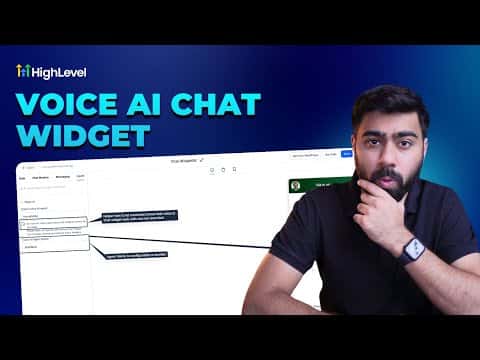
How to Add a Voice AI Agent Widget to Your Website in GoHighLevel

By Marnix Geerkens. Published 2026-01-13. Updated 2026-06-02.

GoHighLevel lets you embed a Voice AI agent directly in your website or funnel as a chat widget. Visitors click a button and immediately speak with the AI agent in the browser, no phone dialing required. The setup connects an existing Voice AI agent to a new chat widget, which can then be embedded via code on any platform or linked to a GoHighLevel funnel in a few clicks.

Watch it, then build it

Get the full platform free for 30 days

That walkthrough runs on GoHighLevel. Start it free through RocketLauncher and you get 30 days instead of the usual 14, the whole platform unlocked, plus our setup help and a community of thousands of builders in 47+ countries.

30 days, not 14Full platform, nothing held backFree community and setup help

We earn a referral commission if you keep GoHighLevel after the trial. It never changes your price.

Summary. Creating a Voice AI chat widget starts inside the Chat Widget settings where you select the Voice AI type instead of a standard text bot. After naming the widget, selecting an active Voice AI agent, and configuring HIPAA compliance options if needed, the widget generates an embed code for external sites or connects directly to a GoHighLevel funnel through the funnel's chat widget setting. Calls made through this widget are not recorded for compliance reasons.

Want the full picture? Read more about GoHighLevel Voice AI and GoHighLevel AI agents.

Related tutorials

How to Configure Language Options for AI Agents
How to Configure Language Options for AI Agents2:24 · AI & Voice Agents
How to Automate Review Responses with AI Agents
How to Automate Review Responses with AI Agents5:32 · AI & Voice Agents
Did You Know You Can Have Multiple AI Agents Who Specialize in Different Parts of Your Business?
Did You Know You Can Have Multiple AI Agents Who Specialize in Different Parts of Your Business?4:12 · AI & Voice Agents
How To Configure Agent Studio Triggers in HighLevel
How To Configure Agent Studio Triggers in HighLevel5:32 · AI & Voice Agents
Did You Know You Can Create an Infinite Growth Flywheel Using AI Agent and Automated Messaging?
Did You Know You Can Create an Infinite Growth Flywheel Using AI Agent and Automated Messaging?5:46 · AI & Voice Agents
Did You Know You Can Resell Voice AI Agents in HighLevel?
Did You Know You Can Resell Voice AI Agents in HighLevel?1:46 · AI & Voice Agents

Watch it, then build it

Get the full platform free for 30 days

30 days, not 14Full platform, nothing held backFree community and setup help

Frequently asked questions

Are calls made through the voice AI chat widget recorded?

No, calls through the chat widget cannot be recorded for compliance reasons.

Does the visitor need to dial a phone number to talk to the voice agent?

No, the call happens in the browser with one click and no charges on the visitor's end.

Can this widget be embedded on WordPress or other non-GoHighLevel sites?

Yes, a standard embed code is available for any platform that accepts HTML snippets.

Back to all AI & Voice Agents tutorials