RocketLauncher AI

AI & Voice Agents

How to Automate Review Responses with AI Agents in GoHighLevel

By Marnix Geerkens. Published 2025-09-30. Updated 2026-06-02.

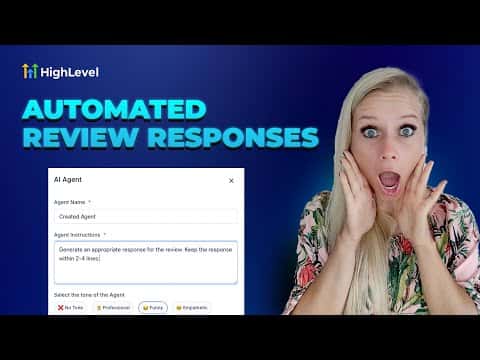
GoHighLevel's Reviews AI lets you create multiple AI agents, each with a distinct tone and response style, to automatically reply to reviews across connected platforms. You can assign different agents to different star ratings so a one-star review gets an empathetic response while a five-star review gets a concise, grateful reply, all without manual effort.

Watch it, then build it

Get the full platform free for 30 days

That walkthrough runs on GoHighLevel. Start it free through RocketLauncher and you get 30 days instead of the usual 14, the whole platform unlocked, plus our setup help and a community of thousands of builders in 47+ countries.

30 days, not 14Full platform, nothing held backFree community and setup help

We earn a referral commission if you keep GoHighLevel after the trial. It never changes your price.

Summary. Setting up review AI in GoHighLevel starts in the Reputation section under Settings and Integrations, where platforms are connected. From there, you create agents with customizable tone pairs, response styles (concise or detailed), and language settings. Choosing dynamic language means the reply matches the reviewer's language automatically. A starter pack creates five agents at once, and each agent can be cloned, edited, or disabled independently.
Want the full picture? Read more about GoHighLevel Voice AI and GoHighLevel AI agents.

Related tutorials

How To Configure Agent Studio Triggers in HighLevel
How To Configure Agent Studio Triggers in HighLevel5:32 · AI & Voice Agents
Did You Know You Can Create an Infinite Growth Flywheel Using AI Agent and Automated Messaging?
Did You Know You Can Create an Infinite Growth Flywheel Using AI Agent and Automated Messaging?5:46 · AI & Voice Agents
How to Configure Language Options for AI Agents
How to Configure Language Options for AI Agents2:24 · AI & Voice Agents
How to Transform Your Chat Widget to Use a Voice AI Agent for Better Customer Interaction
How to Transform Your Chat Widget to Use a Voice AI Agent for Better Customer Interaction3:42 · AI & Voice Agents
How To Use HighLevel's Conversation AI to Automate Voice Message Replies
How To Use HighLevel's Conversation AI to Automate Voice Message Replies3:50 · AI & Voice Agents
Did You Know You Can Have Multiple AI Agents Who Specialize in Different Parts of Your Business?
Did You Know You Can Have Multiple AI Agents Who Specialize in Different Parts of Your Business?4:12 · AI & Voice Agents

Watch it, then build it

Get the full platform free for 30 days

30 days, not 14Full platform, nothing held backFree community and setup help

Frequently asked questions

Can different AI agents reply to different star ratings?

Yes, each agent can be scoped to a specific rating range, such as five stars only.

What does dynamic language selection do?

The reply is written in the same language as the original review automatically.

How many review replies can GoHighLevel generate per day?

Up to 50 AI-generated review replies are available within a 24-hour period.

Back to all AI & Voice Agents tutorials