Getting Started & General
Associate Multiple Objects to Tasks in GoHighLevel
By Marnix Geerkens. Published 2026-01-08. Updated 2026-06-02.
GoHighLevel tasks can be linked to multiple records at once, including up to 10 contacts, 10 opportunities, 10 companies, and 10 custom objects per task. This gives every person involved in a deal or project a shared action item regardless of which module they work in. Sales, customer success, and operations can all track the same task without duplicating it.
Watch it, then build it
Get the full platform free for 30 days
That walkthrough runs on GoHighLevel. Start it free through RocketLauncher and you get 30 days instead of the usual 14, the whole platform unlocked, plus our setup help and a community of thousands of builders in 47+ countries.
30 days, not 14Full platform, nothing held backFree community and setup help
We earn a referral commission if you keep GoHighLevel after the trial. It never changes your price.
Summary. Multi-object task association in GoHighLevel lets you attach a single task to a wide range of records across contacts, opportunities, companies, and custom objects. You set the associations when creating or editing a task, and team members only see tasks linked to records they have permission to access. The main task list under Contacts, Tasks supports advanced filtering by any of the associated objects, and you can control which association columns appear in the table through the Manage Fields option.
Steps
Create a task with associations
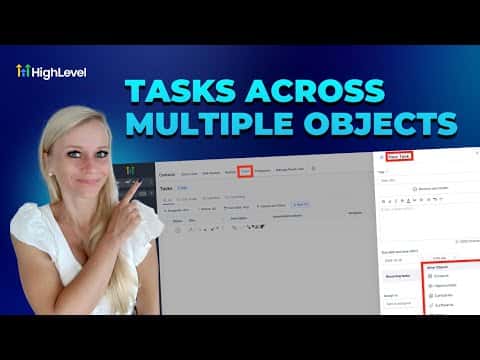
Go to Contacts, then Tasks at the top, and click Add Task. Fill in the title, description, and due date, then scroll to the Associated Object area. Select the object types (contacts, opportunities, companies, custom objects) and add up to 10 records for each.
Edit or remove associations
Click the edit icon on any existing task, scroll to the associations panel, and add or remove records as needed. Changes apply immediately on save.
Filter tasks by associated record
Use the Advanced Filter on the task list to narrow results by a specific contact, company, opportunity, or custom object so you only see relevant tasks.
Related tutorials
Watch it, then build it
Get the full platform free for 30 days
30 days, not 14Full platform, nothing held backFree community and setup help
Frequently asked questions
How many records can I associate with a single task in GoHighLevel?
Up to 10 per category: 10 contacts, 10 opportunities, 10 companies, 10 custom objects.
Will a team member see a task if they do not have access to the associated record?
No. Tasks are only visible to users who have permission to access the linked records.
Do multi-object associations work with recurring tasks?
Yes, associations carry over to recurring tasks the same as one-off tasks.