Getting Started & General
How to Manage Notes in GoHighLevel for Contacts, Companies, and Opportunities
By Marnix Geerkens. Published 2025-09-09. Updated 2026-06-02.
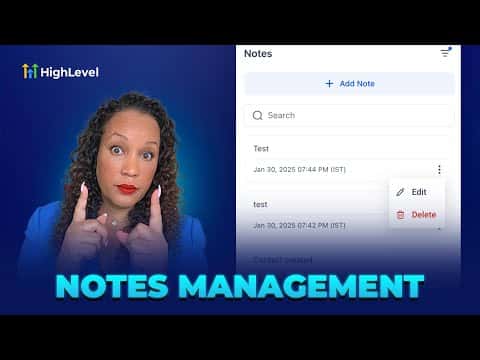
GoHighLevel lets you add and filter notes in three places: individual contact records, company records, and opportunity cards in your pipeline. Each location supports adding notes, searching by keyword, and filtering by date or associated contact. This keeps your whole team aligned on what has been discussed with every lead and client without hunting through separate tools.
Watch it, then build it
Get the full platform free for 30 days
That walkthrough runs on GoHighLevel. Start it free through RocketLauncher and you get 30 days instead of the usual 14, the whole platform unlocked, plus our setup help and a community of thousands of builders in 47+ countries.
30 days, not 14Full platform, nothing held backFree community and setup help
We earn a referral commission if you keep GoHighLevel after the trial. It never changes your price.
Summary. Notes in GoHighLevel are accessible from contact profiles, company records, and directly on pipeline opportunity cards, giving your team a central place to record conversations and decisions. You can filter notes by the team member who wrote them, the associated contact, or the date created, and search by keyword across all three areas. Notes appear in chronological order showing the timestamp and author, so everyone knows what happened and who handled it.
Steps
Add notes to a contact
Open the contact record and click the pencil icon on the right side. Type your note and save. You can filter or search notes directly within this panel.
Add notes to a company
Go to Contacts, then Companies, open the company record, and click the pencil icon. Notes here apply to the whole company, and you can filter by associated contact or date.
Add notes inside your pipeline
In the Opportunities pipeline, locate the contact card and click the note icon (it shows a count if notes exist). Add or review notes without leaving the board view.
Related tutorials
Watch it, then build it
Get the full platform free for 30 days
30 days, not 14Full platform, nothing held backFree community and setup help
Frequently asked questions
Can I search notes by keyword in GoHighLevel?
Yes, a keyword search bar is available in all three notes panels.
Do notes show who created them and when?
Yes, every note displays the author and a timestamp in chronological order.
Can notes added under a company also appear under a contact?
Company notes are separate from individual contact notes, but you can filter company notes by associated contact.