Getting Started & General
Manual and Smart Collections in GoHighLevel Ecommerce Stores
By Marnix Geerkens. Published 2025-12-11. Updated 2026-06-02.
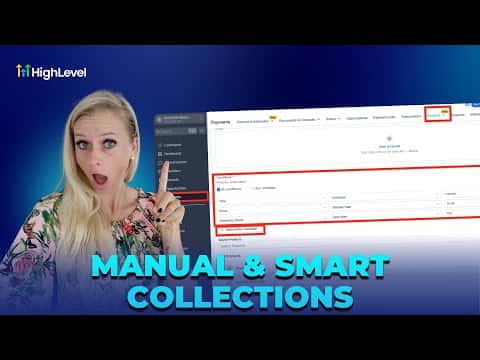
GoHighLevel ecommerce stores support two ways to group products into collections. Manual collections let you handpick each product, which is useful for seasonal promotions or themed bundles. Smart collections use rules (title, price, inventory) to pull in matching products automatically, keeping your catalog organized without constant manual updates.
Watch it, then build it
Get the full platform free for 30 days
That walkthrough runs on GoHighLevel. Start it free through RocketLauncher and you get 30 days instead of the usual 14, the whole platform unlocked, plus our setup help and a community of thousands of builders in 47+ countries.
30 days, not 14Full platform, nothing held backFree community and setup help
We earn a referral commission if you keep GoHighLevel after the trial. It never changes your price.
Summary. Collections in GoHighLevel sit under Payments, Products, Collections and give store owners control over how products are grouped for shoppers. A manual collection is built by selecting individual products one by one, while a smart collection runs a set of conditions against your product catalog and populates itself. Both types support custom SEO titles and descriptions, and each has its own best use case depending on how dynamic your product mix is.
Steps
Open Collections
Click Payments in the left menu, then Products at the top, and select Collections from the dropdown. Click Create New Collection.
Choose Manual or Smart
Select Manual to handpick products by searching and adding them one at a time. Select Smart to define rules by title, price, or inventory that automatically include matching products.
Add SEO details and save
Fill in an SEO title and description to improve search visibility, adjust the handle if needed, and click Save in the top right corner.

Related tutorials
Watch it, then build it
Get the full platform free for 30 days
30 days, not 14Full platform, nothing held backFree community and setup help
Frequently asked questions
Can I switch a collection from manual to smart after saving?
No. Once the collection type is saved it cannot be changed, so choose carefully.
What conditions can a smart collection use?
You can filter by product title, variant title, price, and inventory stock level.
What is the difference between All Conditions and Any Conditions in smart collections?
All means every rule must match. Any means at least one rule must match.