Getting Started & General
How to Use Audit Logs to Monitor User Actions in GoHighLevel
By Marnix Geerkens. Published 2025-08-27. Updated 2026-06-02.
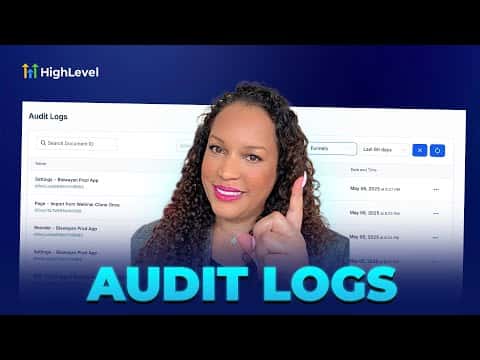
GoHighLevel's audit logs give you a complete history of team actions across funnels, websites, and stores. Filter by user, action type, module, or date range to pinpoint exactly who changed what and when. Data is stored for a rolling 60-day window, making it straightforward to catch mistakes and hold team members accountable without guesswork.
Watch it, then build it
Get the full platform free for 30 days
That walkthrough runs on GoHighLevel. Start it free through RocketLauncher and you get 30 days instead of the usual 14, the whole platform unlocked, plus our setup help and a community of thousands of builders in 47+ countries.
30 days, not 14Full platform, nothing held backFree community and setup help
We earn a referral commission if you keep GoHighLevel after the trial. It never changes your price.
Summary. Audit logs in GoHighLevel sit inside sub-account Settings under Other Settings and track every significant user action across funnels, websites, and stores. You can filter the log by team member, action type (created, updated, deleted, restored, and more), module, and date range going back up to 60 days. The feature is built for teams who need to resolve issues quickly and maintain a clear record of project changes.
Steps
Navigate to Audit Logs
Inside your sub-account, scroll to the bottom of the left menu and click Settings, then find Audit Logs under Other Settings.
Apply filters to narrow results
Use the filter options to sort by user, action type (created, updated, deleted, restored, etc.), module (funnels, websites, stores), and date range up to 60 days.

Related tutorials
Watch it, then build it
Get the full platform free for 30 days
30 days, not 14Full platform, nothing held backFree community and setup help
Frequently asked questions
How far back do GoHighLevel audit logs go?
Logs are kept for a rolling 60-day period, then removed automatically.
Which modules are covered by audit logs?
Funnels, websites, and stores are currently supported in the audit log system.
Can I see which specific team member made a change?
Yes, you can filter by individual user to see only their actions.