Getting Started & General
How to Set Up Recurring Webinars in GoHighLevel
By Marnix Geerkens. Published 2026-01-21. Updated 2026-06-02.
GoHighLevel's recurring webinar feature lets you schedule a live webinar series on a daily, weekly, or monthly cadence without cloning funnels or rebuilding automations each time. Toggle on recurring settings when creating a webinar, define your schedule and end conditions, and GoHighLevel generates future occurrences automatically. Registrants who sign up once are enrolled for the entire series.
Watch it, then build it
Get the full platform free for 30 days
That walkthrough runs on GoHighLevel. Start it free through RocketLauncher and you get 30 days instead of the usual 14, the whole platform unlocked, plus our setup help and a community of thousands of builders in 47+ countries.
30 days, not 14Full platform, nothing held backFree community and setup help
We earn a referral commission if you keep GoHighLevel after the trial. It never changes your price.
Summary. GoHighLevel supports recurring live webinar series with flexible scheduling options: daily, weekly, monthly, or no fixed time for evergreen broadcasts. Once the cadence is set, the platform generates future sessions automatically, updates the broadcast page countdown between sessions, and adjusts reminder emails to each registrant's next upcoming date. Editing the schedule after a series has started is supported, and existing registrants are mapped to the new dates going forward.
Steps
Create a new live webinar
Go to Sites, then Webinars, and click New Webinar Funnel. Select Live Webinar, give it a name, set the time zone, and pick a start date and time.
Enable recurring settings
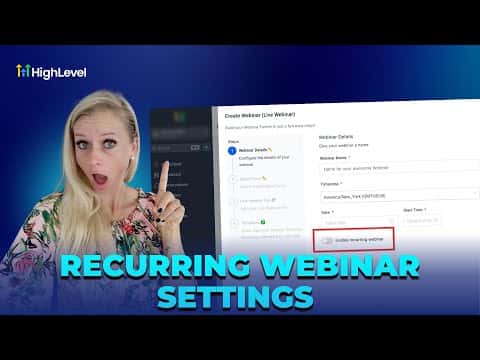
Toggle on Enable Recurring Webinar Settings. Choose a frequency: daily, weekly, or monthly. Set the repeat interval and pick an end condition (end date or number of occurrences).
Review automation behavior
Standard reminder workflows will automatically reschedule to each person's next session. No need to rebuild sequences. For post-webinar replays, create a separate on-demand webinar and share the link via post-event automation.

Related tutorials
Watch it, then build it
Get the full platform free for 30 days
30 days, not 14Full platform, nothing held backFree community and setup help
Frequently asked questions
Can a single registration cover the entire series?
Yes. One registration enrolls a contact for every future session in the series.
What appears on the broadcast page between sessions?
A countdown or next-session banner until the host goes live for the next occurrence.
Can the schedule be changed after the series has started?
Yes. Existing registrants are automatically mapped to the new future dates.
Can live and on-demand content be mixed in one series?
No. Create a separate on-demand webinar and link replays via post-event automation.