Getting Started & General

How to Use Audit Logs to Monitor User Actions in GoHighLevel

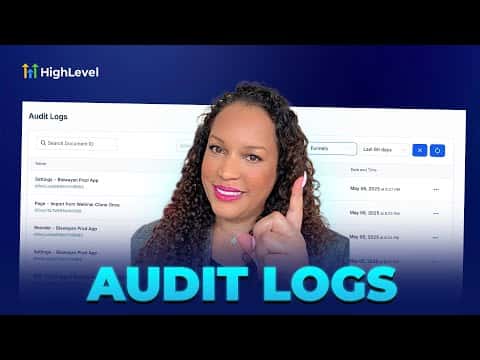
GoHighLevel's audit logs give you a complete history of team actions across funnels, websites, and stores. Filter by user, action type, module, or date range to pinpoint exactly who changed what and when. Data is stored for a rolling 60-day window, making it straightforward to catch mistakes and hold team members accountable without guesswork.

2026年6月2日に更新

2:02

概要. Audit logs in GoHighLevel sit inside sub-account Settings under Other Settings and track every significant user action across funnels, websites, and stores. You can filter the log by team member, action type (created, updated, deleted, restored, and more), module, and date range going back up to 60 days. The feature is built for teams who need to resolve issues quickly and maintain a clear record of project changes.

ステップ

  1. Navigate to Audit Logs

    Inside your sub-account, scroll to the bottom of the left menu and click Settings, then find Audit Logs under Other Settings.

  2. Apply filters to narrow results

    Use the filter options to sort by user, action type (created, updated, deleted, restored, etc.), module (funnels, websites, stores), and date range up to 60 days.


よくある質問

How far back do GoHighLevel audit logs go?

Logs are kept for a rolling 60-day period, then removed automatically.

Which modules are covered by audit logs?

Funnels, websites, and stores are currently supported in the audit log system.

Can I see which specific team member made a change?

Yes, you can filter by individual user to see only their actions.

すでに作った人たちと、一緒に作ろう。

無料コミュニティに参加しましょう。毎週のライブ通話、最初に見るコース、あなたの言語のビルダーがいます。

Skoolに無料で参加