Getting Started & General
How to Configure Taxes and Service Fees in GoHighLevel
By Marnix Geerkens. Published 2025-11-13. Updated 2026-06-02.
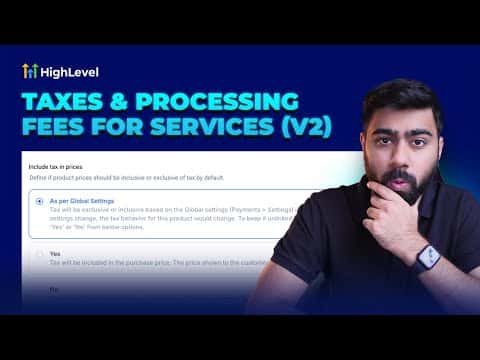
GoHighLevel lets you define tax rates and service fees inside your account settings and apply them to products and invoices. You can set a percentage-based tax, label it with a name visible to customers, and choose which products it applies to. Service fees work the same way and can be added at the transaction level so your pricing stays accurate across every sale.
Watch it, then build it
Get the full platform free for 30 days
That walkthrough runs on GoHighLevel. Start it free through RocketLauncher and you get 30 days instead of the usual 14, the whole platform unlocked, plus our setup help and a community of thousands of builders in 47+ countries.
30 days, not 14Full platform, nothing held backFree community and setup help
We earn a referral commission if you keep GoHighLevel after the trial. It never changes your price.
Summary. Tax and service fee configuration in GoHighLevel is managed through the Payments settings area, where you create named rates and assign them to specific products or apply them globally. Once configured, taxes and fees appear as line items on invoices and order confirmations, giving customers a clear breakdown of what they are paying. This is particularly useful for businesses selling physical goods, services with regulatory tax requirements, or subscription products.
Steps
Open Payments Settings
Go to Payments in the left menu, then Settings, and look for the Taxes or Service Fees section depending on what you need to configure.
Create a tax or fee rate
Click to add a new rate, give it a descriptive name (for example, State Sales Tax), enter the percentage, and save. You can create multiple rates for different regions or product types.
Assign the rate to products
When creating or editing a product, select the applicable tax or fee from the dropdown. The rate will then be calculated and displayed as a line item on all related invoices.

Related tutorials
Watch it, then build it
Get the full platform free for 30 days
30 days, not 14Full platform, nothing held backFree community and setup help
Frequently asked questions
Can I apply different tax rates to different products in GoHighLevel?
Yes, you create separate named rates and assign each one to the relevant products.
Do taxes appear as a line item on GoHighLevel invoices?
Yes, configured taxes show as a labeled line item so customers see the breakdown.
Can service fees be charged as a flat amount or only as a percentage?
GoHighLevel service fees are configured as a percentage of the transaction total.