RocketLauncher AI

AI & Voice Agents

How to Invoke AI Agents in GoHighLevel Workflows

By Marnix Geerkens. Published 2026-05-13. Updated 2026-06-02.

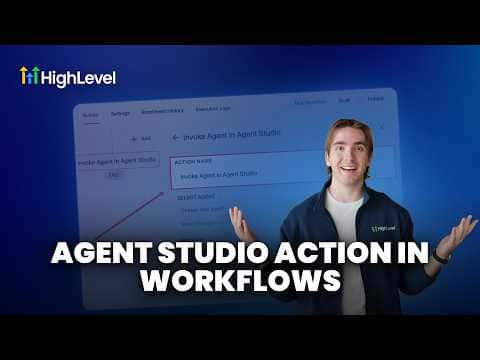
GoHighLevel workflows can trigger an AI agent built in Agent Studio using the Invoke Agent action. For an agent to appear in the workflow action selector, it must be set to the Workflows trigger type inside Agent Studio and promoted to production. Once those two conditions are met, you can pass it a message, attach files, or reference it by dynamic agent ID inside any automation.

Watch it, then build it

Get the full platform free for 30 days

That walkthrough runs on GoHighLevel. Start it free through RocketLauncher and you get 30 days instead of the usual 14, the whole platform unlocked, plus our setup help and a community of thousands of builders in 47+ countries.

30 days, not 14Full platform, nothing held backFree community and setup help

We earn a referral commission if you keep GoHighLevel after the trial. It never changes your price.

Summary. GoHighLevel's Invoke Agent workflow action connects Agent Studio agents directly to your automations. The agent must have its trigger set to Workflows and be promoted to production before it shows up in the action's selector. From there you can send a message, add attachments, or use a dynamic agent ID pulled from an inbound webhook or custom field.

Steps

  1. Set the agent trigger to Workflows in Agent Studio

    Open the agent in Agent Studio, click the trigger node, and change the trigger type to Workflows. Agents with other trigger types will not appear in the Invoke Agent selector.

  2. Publish and promote the agent to production

    Click Publish in Agent Studio, then click Promote to Production. Agents in draft status are not accessible from automations.

  3. Add the Invoke Agent action to your workflow

    In the workflow builder, add a new action, find Invoke Agent, and select your published agent from the dropdown.

  4. Optionally pass a message or attachments

    The message and attachment fields are not required. Use them when the agent needs an initial input, a file reference, or a dynamic ID sourced from an earlier workflow step.

Want the full picture? Read more about GoHighLevel Voice AI and GoHighLevel AI agents.

Related tutorials

How To Optimize AI Agents with Variables in HighLevel
How To Optimize AI Agents with Variables in HighLevel9:15 · AI & Voice Agents
How to Test and Debug AI Conversations in Agent Studio
How to Test and Debug AI Conversations in Agent Studio5:06 · AI & Voice Agents
How To Enable Human Handover in HighLevel's Conversation AI
How To Enable Human Handover in HighLevel's Conversation AI7:11 · AI & Voice Agents
How to use the Router Tool in HighLevel's Agent Studio for AI and Conditional Routing
How to use the Router Tool in HighLevel's Agent Studio for AI and Conditional Routing7:19 · AI & Voice Agents
How To Configure AI Bot Response Styles in HighLevel
How To Configure AI Bot Response Styles in HighLevel3:14 · AI & Voice Agents
Did You Know You Can Build a Full Landing Page From One Prompt in AI Studio?
Did You Know You Can Build a Full Landing Page From One Prompt in AI Studio?1:12 · AI & Voice Agents

Watch it, then build it

Get the full platform free for 30 days

30 days, not 14Full platform, nothing held backFree community and setup help

Frequently asked questions

Can I invoke an agent that uses a form submission trigger?

Only if you change its trigger to Workflows first. Then it will appear in the selector.

How do I use a dynamic agent ID instead of selecting from the list?

Switch the selection mode to dynamic fields and map the agent ID from a webhook or custom variable.

Why does my agent not appear in the Invoke Agent dropdown?

The agent must be set to the Workflows trigger type and promoted to production, not left in draft.

Back to all AI & Voice Agents tutorials