RocketLauncher AI

AI & Voice Agents

How to Use Variables in GoHighLevel Agent Studio

By Marnix Geerkens. Published 2026-05-13. Updated 2026-06-02.

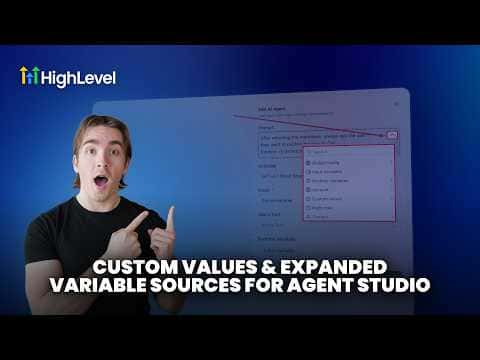
GoHighLevel Agent Studio supports four categories of variables: custom fields (contact-level data like name and email), custom values (account-level data like your business name), global configuration variables (static values you set once per agent, such as API keys), input variables (values passed in when the agent runs), and runtime variables (values created dynamically by tools during execution, such as a generated image URL). Each type is accessible from the variable dropdown inside any AI agent node prompt.

Watch it, then build it

Get the full platform free for 30 days

That walkthrough runs on GoHighLevel. Start it free through RocketLauncher and you get 30 days instead of the usual 14, the whole platform unlocked, plus our setup help and a community of thousands of builders in 47+ countries.

30 days, not 14Full platform, nothing held backFree community and setup help

We earn a referral commission if you keep GoHighLevel after the trial. It never changes your price.

Summary. Agent Studio in GoHighLevel gives you structured access to contact data, account settings, and dynamic values generated during a run. Global variables hold fixed data for the entire agent, input variables accept values from outside the agent, and runtime variables are created automatically by tools like image generation or text output. All of these appear in the prompt variable picker on any AI agent node.

Want the full picture? Read more about GoHighLevel Voice AI and GoHighLevel AI agents.

Related tutorials

How to Test and Debug AI Conversations in Agent Studio
How to Test and Debug AI Conversations in Agent Studio5:06 · AI & Voice Agents
How To Invoke AI Agents in HighLevel Workflows
How To Invoke AI Agents in HighLevel Workflows5:02 · AI & Voice Agents
How To Enable Human Handover in HighLevel's Conversation AI
How To Enable Human Handover in HighLevel's Conversation AI7:11 · AI & Voice Agents
How to use the Router Tool in HighLevel's Agent Studio for AI and Conditional Routing
How to use the Router Tool in HighLevel's Agent Studio for AI and Conditional Routing7:19 · AI & Voice Agents
How To Configure AI Bot Response Styles in HighLevel
How To Configure AI Bot Response Styles in HighLevel3:14 · AI & Voice Agents
Did You Know You Can Build a Full Landing Page From One Prompt in AI Studio?
Did You Know You Can Build a Full Landing Page From One Prompt in AI Studio?1:12 · AI & Voice Agents

Watch it, then build it

Get the full platform free for 30 days

30 days, not 14Full platform, nothing held backFree community and setup help

Frequently asked questions

What is a runtime variable in Agent Studio?

A value created automatically by a tool during the agent's run, such as a generated image URL.

Where do I access variables inside an AI agent node prompt?

Click the dropdown on the right side of the prompt field to browse all variable types.

What is the difference between a custom value and a custom field?

Custom fields are contact-level data. Custom values are account-level data shared across contacts.

Back to all AI & Voice Agents tutorials