RocketLauncher AI

SaaS Mode & Agency

How to Enable or Disable Customers in GoHighLevel Affiliate Manager

By Marnix Geerkens. Published 2025-09-18. Updated 2026-06-02.

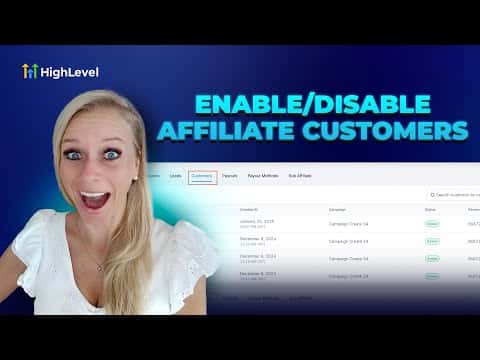
When a customer appears fraudulent or invalid, you can disable them inside the Affiliate Manager so no further sales are tracked and no new commissions are generated for that affiliate. Disabling is reversible: you can reinstate the customer at any time and normal commission tracking picks back up. Manual commission entries remain possible even while a customer is disabled.

Watch it, then build it

Get the full platform free for 30 days

That walkthrough runs on GoHighLevel. Start it free through RocketLauncher and you get 30 days instead of the usual 14, the whole platform unlocked, plus our setup help and a community of thousands of builders in 47+ countries.

30 days, not 14Full platform, nothing held backFree community and setup help

We earn a referral commission if you keep GoHighLevel after the trial. It never changes your price.

Summary. GoHighLevel's Affiliate Manager includes a customer-level enable and disable control on each affiliate's record. Disabling a customer stops new commission tracking immediately, which helps keep affiliate data accurate when a signup looks fraudulent or was recorded in error. The change is reversible and does not delete historical commission records.

Steps

  1. Open the affiliate record

    In your sub-account, click Marketing on the left, then Affiliate Manager at the top. Switch to the Affiliates tab, search by name, and click the affiliate whose customer you want to manage.

  2. Find the customer

    Scroll to the bottom of the affiliate's profile and click the Customers tab. Locate the customer in the list.

  3. Disable or reinstate

    Click the three-dot menu on the right of the customer row and select Disable Customer. Confirm the prompt. To reverse this, open the same menu and choose Reinstate Customer.

Want the full picture? Read more about GoHighLevel SaaS Mode.

Related tutorials

Did You Know You Can Bundle Apps from the App Store with Your SaaS Plans?
Did You Know You Can Bundle Apps from the App Store with Your SaaS Plans?3:29 · SaaS Mode & Agency
How to Adjust HighLevel Snapshot Permissions for Admins
How to Adjust HighLevel Snapshot Permissions for Admins1:13 · SaaS Mode & Agency
How to Delete Affiliate Commissions in Your Affiliate Manager   final
How to Delete Affiliate Commissions in Your Affiliate Manager final2:03 · SaaS Mode & Agency
Did You Know You Can Monetize Courses & Content with Communities
Did You Know You Can Monetize Courses & Content with Communities1:34 · SaaS Mode & Agency
Did You Know You Can Monetize Your Expertise With Digital Products in HighLevel?
Did You Know You Can Monetize Your Expertise With Digital Products in HighLevel?1:01 · SaaS Mode & Agency
Did You Know You Can Easily Connect with Leads on the HighLevel Mobile App?
Did You Know You Can Easily Connect with Leads on the HighLevel Mobile App?2:33 · SaaS Mode & Agency

Watch it, then build it

Get the full platform free for 30 days

30 days, not 14Full platform, nothing held backFree community and setup help

Frequently asked questions

Does disabling a customer delete past commissions?

No. Existing commission records are kept; only new tracking stops.

Can I still add manual commissions for a disabled customer?

Yes. Manual commission entries work regardless of the customer's status.

Back to all SaaS Mode & Agency tutorials