RocketLauncher AI

SaaS Mode & Agency

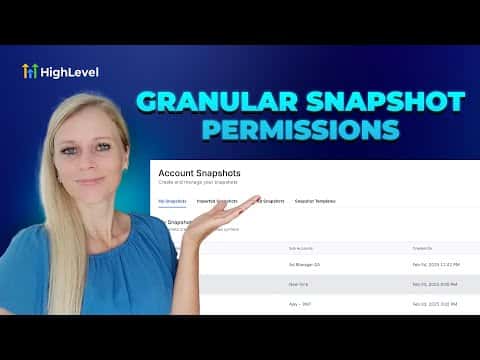
How to Adjust Snapshot Permissions for Admins in GoHighLevel

By Marnix Geerkens. Published 2025-08-22. Updated 2026-06-02.

GoHighLevel lets agency owners control exactly which snapshot actions each admin can perform. You can allow or block view, create, edit, push, refresh, share, import, and delete permissions individually. This is useful when only one team member should be responsible for managing and pushing snapshots, keeping your agency templates protected from accidental changes.

Watch it, then build it

Get the full platform free for 30 days

That walkthrough runs on GoHighLevel. Start it free through RocketLauncher and you get 30 days instead of the usual 14, the whole platform unlocked, plus our setup help and a community of thousands of builders in 47+ countries.

30 days, not 14Full platform, nothing held backFree community and setup help

We earn a referral commission if you keep GoHighLevel after the trial. It never changes your price.

Summary. The Team settings inside a GoHighLevel agency include granular snapshot permissions for each admin. Agency owners can toggle individual capabilities such as view, create, edit, push, share, import, and delete on a per-user basis. Restricting these permissions protects snapshot integrity when only specific team members should have access to push or modify agency templates.

Steps

  1. Open Team settings

    Log into your agency account, click Settings at the bottom left, then click Team on the left sidebar.

  2. Filter to agency admins

    In the role dropdown at the top of the team list, select Agency and Admins to show only admin-level users.

  3. Edit the admin's permissions

    Click the edit icon on the right side of the admin's row, then go to Roles and Permissions. Scroll down to the Snapshots section and toggle each permission on or off as needed. Click Save when done.
Want the full picture? Read more about GoHighLevel SaaS Mode.

Related tutorials

How to Delete Affiliate Commissions in Your Affiliate Manager   final
How to Delete Affiliate Commissions in Your Affiliate Manager final2:03 · SaaS Mode & Agency
Did You Know You Can Bundle Apps from the App Store with Your SaaS Plans?
Did You Know You Can Bundle Apps from the App Store with Your SaaS Plans?3:29 · SaaS Mode & Agency
How to Enable or Disable Customers in Affiliate Management
How to Enable or Disable Customers in Affiliate Management1:38 · SaaS Mode & Agency
Did You Know You Can Monetize Courses & Content with Communities
Did You Know You Can Monetize Courses & Content with Communities1:34 · SaaS Mode & Agency
Did You Know You Can Monetize Your Expertise With Digital Products in HighLevel?
Did You Know You Can Monetize Your Expertise With Digital Products in HighLevel?1:01 · SaaS Mode & Agency
Did You Know You Can Easily Connect with Leads on the HighLevel Mobile App?
Did You Know You Can Easily Connect with Leads on the HighLevel Mobile App?2:33 · SaaS Mode & Agency

Watch it, then build it

Get the full platform free for 30 days

30 days, not 14Full platform, nothing held backFree community and setup help

Frequently asked questions

Can I remove push snapshot access without removing other admin rights?

Yes. Each snapshot permission is toggled individually without affecting other roles.

Where exactly is the Snapshots permission section?

Inside the admin's Roles and Permissions tab, scroll down to find Snapshots.

Back to all SaaS Mode & Agency tutorials