RocketLauncher AI

Funnels & Websites

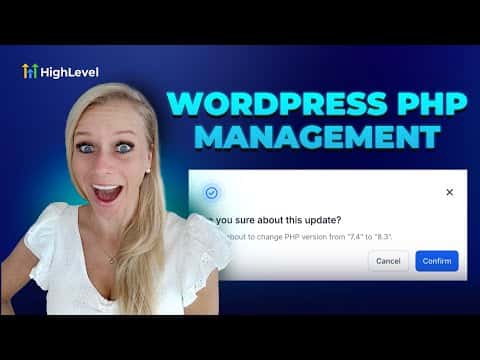
How to Update the PHP Version on a WordPress Site in GoHighLevel

By Marnix Geerkens. Published 2025-09-09. Updated 2026-06-02.

GoHighLevel lets you change the PHP version running on your hosted WordPress site directly from the platform, without touching a server control panel. Keeping PHP current improves security, speeds up page loads, and ensures compatibility with modern plugins. The whole process takes a few clicks inside Advanced Settings.

Watch it, then build it

Get the full platform free for 30 days

That walkthrough runs on GoHighLevel. Start it free through RocketLauncher and you get 30 days instead of the usual 14, the whole platform unlocked, plus our setup help and a community of thousands of builders in 47+ countries.

30 days, not 14Full platform, nothing held backFree community and setup help

We earn a referral commission if you keep GoHighLevel after the trial. It never changes your price.

Summary. WordPress sites hosted through GoHighLevel run on a PHP version you can select from within the platform. Updating PHP through the Advanced Settings panel enhances site security, boosts performance, and prevents plugin compatibility issues. The change takes effect after a quick confirmation step and does not require any external server access.

Steps

  1. Open your WordPress site settings

    Go to Sites on the left, then click WordPress at the top. Find the site you want to update.

  2. Navigate to Server Settings

    Click Advanced Settings for that site, then click Server Settings.

  3. Select the PHP version

    Scroll to the bottom of the Server Settings screen and choose the PHP version you want from the drop-down.

  4. Confirm the update

    Click Confirm, then confirm again in the pop-up. A green notification confirms the PHP version has been updated.
Want the full picture? Read more about the GoHighLevel funnel builder.

Related tutorials

How To Use Custom Values Within Your WordPress Sites Inside of HighLevel
How To Use Custom Values Within Your WordPress Sites Inside of HighLevel1:46 · Funnels & Websites
How To Create One Click Upsells in HighLevel Funnels
How To Create One Click Upsells in HighLevel Funnels7:34 · Funnels & Websites
How to Optimize Your Website Using Browser and IP Analytics
How to Optimize Your Website Using Browser and IP Analytics4:08 · Funnels & Websites
How to Analyze Funnel and Website Traffic by Country
How to Analyze Funnel and Website Traffic by Country2:58 · Funnels & Websites
How to Manage Files Effectively in Your Mobile Media Library
How to Manage Files Effectively in Your Mobile Media Library3:47 · Funnels & Websites
Did You Know You Can Turn an AI Draft into a Live Lead Funnel?
Did You Know You Can Turn an AI Draft into a Live Lead Funnel?2:03 · Funnels & Websites

Watch it, then build it

Get the full platform free for 30 days

30 days, not 14Full platform, nothing held backFree community and setup help

Frequently asked questions

Will updating PHP break my existing plugins?

Most modern plugins support current PHP versions. Test after updating to confirm.

Why does PHP version matter for a WordPress site?

PHP is the scripting language WordPress runs on. Newer versions are faster and more secure.

Back to all Funnels & Websites tutorials