RocketLauncher AI

Funnels & Websites

How to Set Up One-Click Upsells in GoHighLevel Funnels

By Marnix Geerkens. Published 2026-04-28. Updated 2026-06-02.

One-click upsells in GoHighLevel work by capturing payment details on an initial order form and storing a token. When a buyer lands on the upsell page, a single button click charges the stored payment method without asking them to re-enter card details. Setting this up requires building a form with the Sell Product element, attaching it to a V2 funnel, and keeping the upsell steps on the same domain so the token transfers.

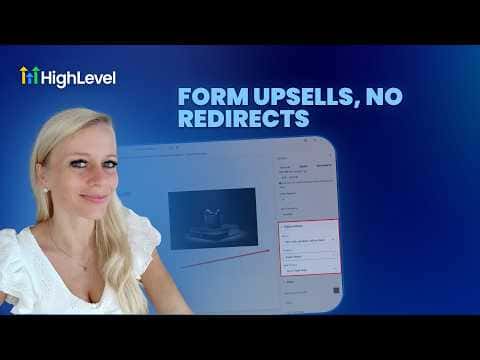
Watch it, then build it

Get the full platform free for 30 days

That walkthrough runs on GoHighLevel. Start it free through RocketLauncher and you get 30 days instead of the usual 14, the whole platform unlocked, plus our setup help and a community of thousands of builders in 47+ countries.

30 days, not 14Full platform, nothing held backFree community and setup help

We earn a referral commission if you keep GoHighLevel after the trial. It never changes your price.

Summary. GoHighLevel's Forms builder includes a Sell Product element that collects payment information and generates the token needed for one-click upsells. You create the initial order form inside Forms, select your product, configure it as a main or bump product, then embed the form in a V2 funnel page. The upsell step sits on the next funnel page where buyers accept with one click, no re-entry of payment details required.

Steps

  1. Create a new form with the Sell Product element

    Go to Forms, click Add New Form, start from scratch, and drag the Sell Product element into the form. This element captures card details and creates the one-click token.

  2. Select your product

    In the Sell Product settings on the right, choose Sell Products under payment type, then pick the product from the drop-down. You can also set it as a bump product if you want a small add-on rather than a primary offer.

  3. Configure display and optional coupons

    Toggle on the product description, image, and quantity fields you want buyers to see. Enable coupons if you plan to offer a discount.

  4. Save and name the form

    Rename the form clearly, then click Save in the top right so you can find it when adding it to a funnel.

  5. Add the form to a V2 funnel step

    Go to Sites, Funnels, open or create a V2 funnel, and drag the Form element onto the page. Select your saved form from the picker. Note: this does not work in V1 funnels.

  6. Configure the button to advance to the next step

    Click the button element below the form and set its action to go to the next step. Keep all upsell steps on the same domain so the payment token passes correctly.
Want the full picture? Read more about the GoHighLevel funnel builder.

Related tutorials

How To Use Custom Values Within Your WordPress Sites Inside of HighLevel
How To Use Custom Values Within Your WordPress Sites Inside of HighLevel1:46 · Funnels & Websites
How to Update PHP Versions on Your WordPress Site in HighLevel
How to Update PHP Versions on Your WordPress Site in HighLevel1:30 · Funnels & Websites
How to Optimize Your Website Using Browser and IP Analytics
How to Optimize Your Website Using Browser and IP Analytics4:08 · Funnels & Websites
How to Analyze Funnel and Website Traffic by Country
How to Analyze Funnel and Website Traffic by Country2:58 · Funnels & Websites
How To Create SEO Optimized Blogs using AI in HighLevel
How To Create SEO Optimized Blogs using AI in HighLevel2:08 · Funnels & Websites
How to Manage Files Effectively in Your Mobile Media Library
How to Manage Files Effectively in Your Mobile Media Library3:47 · Funnels & Websites

Watch it, then build it

Get the full platform free for 30 days

30 days, not 14Full platform, nothing held backFree community and setup help

Frequently asked questions

Why does the one-click upsell only work in V2 funnels?

The token mechanism requires the V2 funnel architecture to function.

What happens if the product inventory reaches zero?

The upsell stops working when inventory runs out, so keep stock updated.

What is the difference between a main product and a bump product?

Main is the primary offer; bump is a small add-on displayed alongside the form.

Back to all Funnels & Websites tutorials