SMS & Phone
How to Set Up a Call Script in the GoHighLevel Dialer
By Marnix Geerkens. Published 2025-09-26. Updated 2026-06-02.
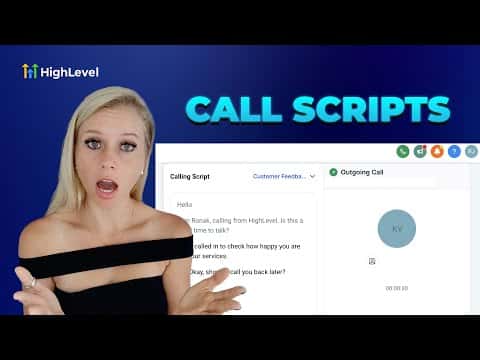
Call scripts in GoHighLevel give your calling team a reference guide they can pull up during a live call without leaving the dialer. Agency owners or sub-account admins create and edit scripts; individual users cannot create them but can access any script while on a call. Scripts are set up through Phone Numbers in Settings and appear instantly in the dialer once saved.
Watch it, then build it
Get the full platform free for 30 days
That walkthrough runs on GoHighLevel. Start it free through RocketLauncher and you get 30 days instead of the usual 14, the whole platform unlocked, plus our setup help and a community of thousands of builders in 47+ countries.
30 days, not 14Full platform, nothing held backFree community and setup help
We earn a referral commission if you keep GoHighLevel after the trial. It never changes your price.
Summary. GoHighLevel's built-in call script feature lets admins write structured talking points, objection responses, or compliance prompts that agents can view while dialing from the web app. Scripts are managed under Settings, Phone Numbers, Advanced Settings, and Call Scripts. Once created or updated, the latest version is immediately visible to any user making calls, with no need to redistribute documents or rely on separate tools.
Steps
Open call script settings
In the sub-account, click Settings at the bottom left, select Phone Numbers, then click Advanced Settings at the top and choose Call Scripts.
Create or edit a script
Click Add Scripts to start a new one, or click the three-dot menu next to an existing script and choose Edit Script. Give the script a clear name and write your content.
Access the script during a call
When placing or receiving a call in the dialer, click the Scripts button at the bottom of the call screen to pull up any available script in real time.
Related tutorials
Watch it, then build it
Get the full platform free for 30 days
30 days, not 14Full platform, nothing held backFree community and setup help
Frequently asked questions
Can regular users create call scripts in GoHighLevel?
No, only agency owners and sub-account admins can create or edit scripts.
When does a script update become visible to callers?
Immediately after saving. Agents see the updated version on their next call.