RocketLauncher AI

SMS & Phone

How to Automate Call Transcripts in GoHighLevel Workflows

By Marnix Geerkens. Published 2025-11-25. Updated 2026-06-02.

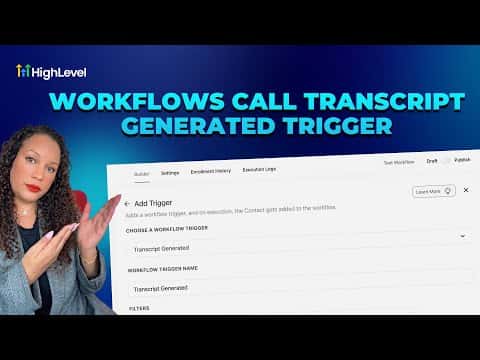
GoHighLevel can trigger a workflow the moment a call transcript is ready, letting you automatically route the transcript text, filter by call duration or direction, and kick off follow-up actions without manual review. The Transcript Generated trigger works for standard calls, IVR calls, and Voice AI calls, provided call transcription is enabled in your phone settings first.

Watch it, then build it

Get the full platform free for 30 days

That walkthrough runs on GoHighLevel. Start it free through RocketLauncher and you get 30 days instead of the usual 14, the whole platform unlocked, plus our setup help and a community of thousands of builders in 47+ countries.

30 days, not 14Full platform, nothing held backFree community and setup help

We earn a referral commission if you keep GoHighLevel after the trial. It never changes your price.

Summary. The Transcript Generated workflow trigger fires whenever a call recording is transcribed inside GoHighLevel, giving you access to a rich set of custom values including call direction, duration, caller location, and the full transcript text. You can filter by call type or length, branch the workflow with if/else conditions based on transcript data, and send notifications or follow-up messages automatically. Call transcription must be turned on in the sub-account's Phone System settings before the trigger becomes active, and there is a per-transcription usage charge.

Steps

  1. Enable call transcription

    In the sub-account, go to Settings, then Phone System, then Voice, and toggle on Call Transcription.

  2. Create a new workflow and add the trigger

    Go to Automation, then Workflows, and create a new workflow from scratch. Add a trigger and search for Transcript Generated, then select the call type (calls, IVR, or Voice AI).

  3. Add filters and actions

    Use the Duration in Seconds field to filter for meaningful calls. Add if/else branches or notification actions using the custom values available under Transcript Generated.
Related tutorials

How to Set Up a Call Script
How to Set Up a Call Script1:57 · SMS & Phone
How to Manage and Customize New Sub-Account Phone Settings
How to Manage and Customize New Sub-Account Phone Settings3:06 · SMS & Phone
Did You Know HighLevel Can Automatically Transcribe and Summarize Your Calls?
Did You Know HighLevel Can Automatically Transcribe and Summarize Your Calls?2:25 · SMS & Phone
Did You Know You Can Use a Simple Workflow to Increase Conversions After a Call?
Did You Know You Can Use a Simple Workflow to Increase Conversions After a Call?7:49 · SMS & Phone
How To Boost Call Success with Voice Integrity in HighLevel
How To Boost Call Success with Voice Integrity in HighLevel1:53 · SMS & Phone
Did You Know HighLevel Can Turn Missed Calls into Booked Appointments for You?
Did You Know HighLevel Can Turn Missed Calls into Booked Appointments for You?2:30 · SMS & Phone

Watch it, then build it

Get the full platform free for 30 days

30 days, not 14Full platform, nothing held backFree community and setup help

Frequently asked questions

Is call transcription free in GoHighLevel?

No, there is a small per-transcription charge added to your account usage.

Which call types work with the Transcript Generated trigger?

Standard inbound and outbound calls, IVR calls, and Voice AI calls are all supported.

Back to all SMS & Phone tutorials