SMS & Phone
Assign IVR Responders with Custom Variables in GoHighLevel
By Marnix Geerkens. Published 2026-03-04. Updated 2026-06-02.
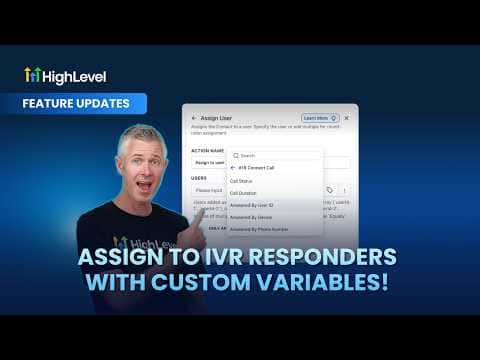
GoHighLevel's IVR call connect feature now exposes three custom variables: answered by user ID, answered by device, and answered by phone number. You can feed the user ID variable into a workflow action to automatically assign a contact or opportunity to whoever picked up the call, making inbound call routing dynamic and trackable without any manual reassignment.
Watch it, then build it
Get the full platform free for 30 days
That walkthrough runs on GoHighLevel. Start it free through RocketLauncher and you get 30 days instead of the usual 14, the whole platform unlocked, plus our setup help and a community of thousands of builders in 47+ countries.
30 days, not 14Full platform, nothing held backFree community and setup help
We earn a referral commission if you keep GoHighLevel after the trial. It never changes your price.
Summary. When a call routes through the GoHighLevel IVR and a team member answers, new custom variables capture exactly who picked up and on which device. Those variables plug directly into workflow actions, letting you auto-assign contacts, create opportunities, and fire follow-up emails or SMS messages tied to the specific person who took the call. This removes the manual step of reassigning leads after every inbound call.

Related tutorials
Watch it, then build it
Get the full platform free for 30 days
30 days, not 14Full platform, nothing held backFree community and setup help
Frequently asked questions
What are the new IVR custom variables?
Answered by user ID, answered by device, and answered by phone number.
Where can I use these variables?
In workflow actions, notes, SMS, and email templates.
Does this affect future calls from the same contact?
Yes, once assigned, subsequent calls can route automatically to that same person.