RocketLauncher AI

SMS & Phone

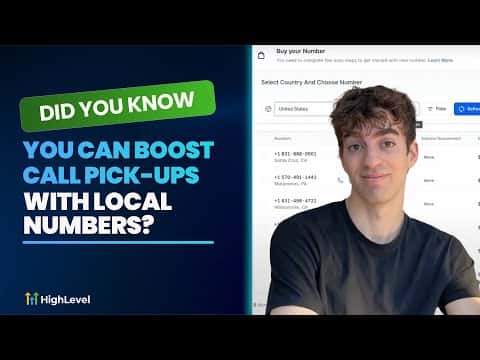
Boost Call Pick-Up Rates with Local Presence Dialing in GoHighLevel

By Marnix Geerkens. Published 2025-09-09. Updated 2026-06-02.

GoHighLevel's local presence dialing shows contacts a phone number from their own area code instead of an out-of-state number. The system matches your contact's area code to a verified number you own in that region, and falls back to a nearby regional number or your default if no exact match exists. Contacts see a familiar local caller ID and are far more likely to answer.

Watch it, then build it

Get the full platform free for 30 days

That walkthrough runs on GoHighLevel. Start it free through RocketLauncher and you get 30 days instead of the usual 14, the whole platform unlocked, plus our setup help and a community of thousands of builders in 47+ countries.

30 days, not 14Full platform, nothing held backFree community and setup help

We earn a referral commission if you keep GoHighLevel after the trial. It never changes your price.

Summary. Local presence dialing in GoHighLevel automatically selects a caller ID that matches the area code of whoever you are calling. You buy and verify local numbers for each region you target, then enable the setting in Settings, Phone Numbers, Advanced Settings, Outbound Call. When no local number matches exactly, the platform falls back gracefully to a nearby regional number or your business default, keeping outbound calls clean and answer rates high.

Steps

  1. Open phone number settings

    In your GoHighLevel account go to Settings, then Phone Numbers. Click Advanced Settings in the top right corner.

  2. Enable local presence dialing

    Under Voice Calls, find the Outbound Call section and select Local Presence Dialing. This tells the system to match caller ID to the contact's area code.

  3. Purchase and verify local numbers

    Click Manage Numbers to see your current numbers. To add a new one click Add Number, choose a local number with voice and SMS capabilities for the regions you call, and complete verification.

Related tutorials

Assign to IVR Responders with Custom Variables!
Assign to IVR Responders with Custom Variables!1:51 · SMS & Phone
Did You Know You Can Save Leads from Going to Your Competitors with a Missed Call Text Back?
Did You Know You Can Save Leads from Going to Your Competitors with a Missed Call Text Back?1:39 · SMS & Phone
Did You Know You Can Track Phone Call Performance by Campaign in HighLevel?
Did You Know You Can Track Phone Call Performance by Campaign in HighLevel?2:16 · SMS & Phone
Did You Know HighLevel Can Turn Missed Calls into Booked Appointments for You?
Did You Know HighLevel Can Turn Missed Calls into Booked Appointments for You?2:30 · SMS & Phone
How To Boost Call Success with Voice Integrity in HighLevel
How To Boost Call Success with Voice Integrity in HighLevel1:53 · SMS & Phone
Did You Know You Can Use a Simple Workflow to Increase Conversions After a Call?
Did You Know You Can Use a Simple Workflow to Increase Conversions After a Call?7:49 · SMS & Phone

Watch it, then build it

Get the full platform free for 30 days

30 days, not 14Full platform, nothing held backFree community and setup help

Frequently asked questions

What happens if I don't own a number in the contact's area code?

GoHighLevel picks the closest regional number, then falls back to your default.

Do I need to verify the local numbers I purchase?

Yes. Unverified numbers show a red indicator; submit the form to verify each one.

Does local presence dialing work for SMS too?

When buying a number, check MMS and SMS capabilities alongside voice before purchasing.

Back to all SMS & Phone tutorials