Reporting & Dashboards
How to Use Meta Ad Widgets in GoHighLevel Dashboards
By Marnix Geerkens. Published 2026-01-15. Updated 2026-06-02.
GoHighLevel's Meta ad widgets pull Facebook and Instagram campaign data directly into your dashboards and custom reports, so you can track spend, clicks, impressions, and cost per conversion without opening Ads Manager. Connect your Meta account once under Settings and Integrations, then add any ad KPI as a widget in the dashboard editor. The same widgets work inside scheduled custom reports sent to clients.
Watch it, then build it
Get the full platform free for 30 days
That walkthrough runs on GoHighLevel. Start it free through RocketLauncher and you get 30 days instead of the usual 14, the whole platform unlocked, plus our setup help and a community of thousands of builders in 47+ countries.
30 days, not 14Full platform, nothing held backFree community and setup help
We earn a referral commission if you keep GoHighLevel after the trial. It never changes your price.
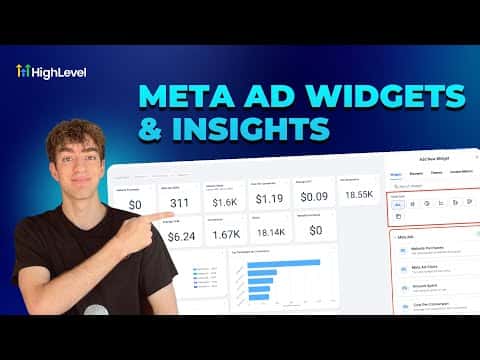
Summary. GoHighLevel supports Meta ad widgets that bring Facebook and Instagram performance data into your dashboards without leaving the platform. After connecting your Meta account in integrations, you can add KPIs like amount spent, click-through rate, and cost per conversion as numeric displays, donut charts, line charts, or bar graphs. The same widgets are available in custom reports, which can be scheduled and sent automatically to clients.
Steps
Connect your Meta ad account
Go to Settings in the left sidebar, scroll to Integrations, and connect your Facebook and Instagram ad account. GoHighLevel will begin pulling data from that account immediately.
Open the dashboard editor
Navigate to Dashboards in the left sidebar, then click Edit Dashboard in the top right corner.
Add a Meta ad widget
Scroll down the widget panel on the right side until you see Meta Ads. Expand it to view available KPIs, select the one you want such as Amount Spent, choose a display format, then click Save.

Related tutorials
Watch it, then build it
Get the full platform free for 30 days
30 days, not 14Full platform, nothing held backFree community and setup help
Frequently asked questions
Which Meta ad metrics can I display in GoHighLevel?
Amount spent, impressions, click-through rate, cost per conversion, and more are available.
Can I include Meta ad widgets in a report sent to clients?
Yes, custom reports support the same Meta ad widgets and can be scheduled for automatic delivery.
Do I need to reconnect Meta for each sub-account?
Yes, connect the Meta ad account separately inside each sub-account's integrations settings.