मेन्यू
RocketLauncher

Reporting & Dashboards

How to Use Meta Ad Widgets in GoHighLevel Dashboards

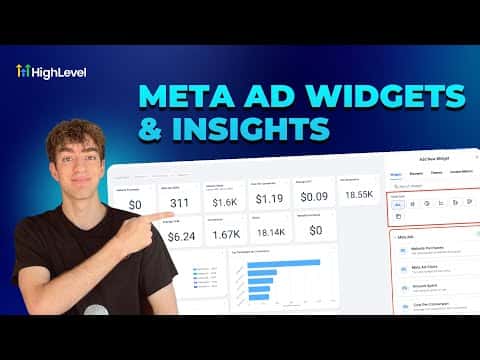
GoHighLevel's Meta ad widgets pull Facebook and Instagram campaign data directly into your dashboards and custom reports, so you can track spend, clicks, impressions, and cost per conversion without opening Ads Manager. Connect your Meta account once under Settings and Integrations, then add any ad KPI as a widget in the dashboard editor. The same widgets work inside scheduled custom reports sent to clients.

अपडेट: 2 जून 2026

2:27

सारांश. GoHighLevel supports Meta ad widgets that bring Facebook and Instagram performance data into your dashboards without leaving the platform. After connecting your Meta account in integrations, you can add KPIs like amount spent, click-through rate, and cost per conversion as numeric displays, donut charts, line charts, or bar graphs. The same widgets are available in custom reports, which can be scheduled and sent automatically to clients.

स्टेप

  1. Connect your Meta ad account

    Go to Settings in the left sidebar, scroll to Integrations, and connect your Facebook and Instagram ad account. GoHighLevel will begin pulling data from that account immediately.

  2. Open the dashboard editor

    Navigate to Dashboards in the left sidebar, then click Edit Dashboard in the top right corner.

  3. Add a Meta ad widget

    Scroll down the widget panel on the right side until you see Meta Ads. Expand it to view available KPIs, select the one you want such as Amount Spent, choose a display format, then click Save.

लोग जो सवाल पूछते हैं

Which Meta ad metrics can I display in GoHighLevel?

Amount spent, impressions, click-through rate, cost per conversion, and more are available.

Can I include Meta ad widgets in a report sent to clients?

Yes, custom reports support the same Meta ad widgets and can be scheduled for automatic delivery.

Do I need to reconnect Meta for each sub-account?

Yes, connect the Meta ad account separately inside each sub-account's integrations settings.

उन लोगों के साथ बनाएँ जो पहले बना चुके हैं।

फ्री कम्युनिटी से जुड़ें: हर हफ़्ते लाइव कॉल, एक स्टार्ट-हियर कोर्स और आपकी भाषा में बोलने वाले बिल्डर्स।

Skool पर फ्री जुड़ें