RocketLauncher AI

Reporting & Dashboards

How to Visualize Custom Objects Data in GoHighLevel Dashboards

By Marnix Geerkens. Published 2026-01-08. Updated 2026-06-02.

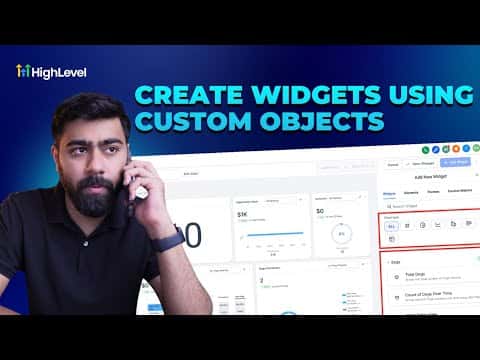
GoHighLevel dashboards can display data from Custom Objects, not just standard CRM fields. Once you have a custom object set up (such as orders, properties, or service records), you can add numeric, line, and bar widgets that pull from it and show counts, totals over time, or summed values. The same data is also available inside Custom Reports for scheduled delivery.

Watch it, then build it

Get the full platform free for 30 days

That walkthrough runs on GoHighLevel. Start it free through RocketLauncher and you get 30 days instead of the usual 14, the whole platform unlocked, plus our setup help and a community of thousands of builders in 47+ countries.

30 days, not 14Full platform, nothing held backFree community and setup help

We earn a referral commission if you keep GoHighLevel after the trial. It never changes your price.

Summary. This tutorial shows how to build a GoHighLevel dashboard that uses Custom Objects as its data source. It covers creating a new dashboard, adding a numeric widget for total object count, a line chart for objects created over time, and a bar chart for summed field values, then explains how to access that same object data inside Custom Reports for scheduled reporting.


Related tutorials

Did You Know You Can Create Branded Dashboards with HighLevel?
Did You Know You Can Create Branded Dashboards with HighLevel?3:01 · Reporting & Dashboards
How To Use Meta Ad Widgets in HighLevel: Step by Step Dashboard Setup and Insights
How To Use Meta Ad Widgets in HighLevel: Step by Step Dashboard Setup and Insights2:27 · Reporting & Dashboards
How To Create Report and Dashboard Templates in HighLevel
How To Create Report and Dashboard Templates in HighLevel5:41 · Reporting & Dashboards
How to Use Quick Filters to Improve Your Dashboard Efficiency
How to Use Quick Filters to Improve Your Dashboard Efficiency4:15 · Reporting & Dashboards
How to Master Dashboard Widgets for Improved Business Insights
How to Master Dashboard Widgets for Improved Business Insights10:09 · Reporting & Dashboards
How To Bulk Manage QR Codes in HighLevel
How To Bulk Manage QR Codes in HighLevel4:16 · Reporting & Dashboards

Watch it, then build it

Get the full platform free for 30 days

30 days, not 14Full platform, nothing held backFree community and setup help

Frequently asked questions

Can GoHighLevel dashboard widgets pull from Custom Objects?

Yes. Custom Objects appear as a data source category when you configure numeric, line, and bar widgets.

What kinds of metrics can I display for a Custom Object?

Total count, count over time (line chart), and sum of a numeric field (bar chart) are all available.

How do I schedule a Custom Objects report to send to clients automatically?

Import the dashboard into Custom Reports, then set a sending schedule by frequency, day, and time.

Back to all Reporting & Dashboards tutorials