RocketLauncher AI

Reporting & Dashboards

How to Use GoHighLevel's SEO Heatmap in Prospecting Reports

By Marnix Geerkens. Published 2025-11-25. Updated 2026-06-02.

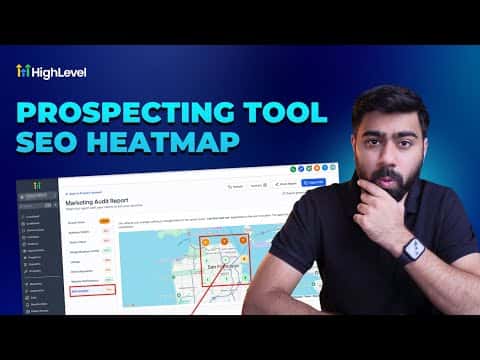
GoHighLevel's prospecting tool includes a local SEO heatmap that shows where a business ranks on Google for a given keyword across a geographic grid. Each grid point reveals the exact ranking position for that location, making it easy to spot ranking gaps and use them as a concrete reason to reach out. You can export the report as a PDF or shareable link.

Watch it, then build it

Get the full platform free for 30 days

That walkthrough runs on GoHighLevel. Start it free through RocketLauncher and you get 30 days instead of the usual 14, the whole platform unlocked, plus our setup help and a community of thousands of builders in 47+ countries.

30 days, not 14Full platform, nothing held backFree community and setup help

We earn a referral commission if you keep GoHighLevel after the trial. It never changes your price.

Summary. This tutorial shows how to generate an SEO heatmap for a prospect inside GoHighLevel's prospecting tool. It covers selecting a grid size, setting a coverage radius, running the local search, reading the results, adding additional keywords, and exporting the report to share with the prospect as part of a pitch.
Related tutorials

How to Master Dashboard Widgets for Improved Business Insights
How to Master Dashboard Widgets for Improved Business Insights10:09 · Reporting & Dashboards
How To Create Report and Dashboard Templates in HighLevel
How To Create Report and Dashboard Templates in HighLevel5:41 · Reporting & Dashboards
How To Visualize Data with Custom Objects in HighLevel Dashboards
How To Visualize Data with Custom Objects in HighLevel Dashboards3:00 · Reporting & Dashboards
Did You Know You Can Create Branded Dashboards with HighLevel?
Did You Know You Can Create Branded Dashboards with HighLevel?3:01 · Reporting & Dashboards
How To Use Meta Ad Widgets in HighLevel: Step by Step Dashboard Setup and Insights
How To Use Meta Ad Widgets in HighLevel: Step by Step Dashboard Setup and Insights2:27 · Reporting & Dashboards
How to Use Quick Filters to Improve Your Dashboard Efficiency
How to Use Quick Filters to Improve Your Dashboard Efficiency4:15 · Reporting & Dashboards

Watch it, then build it

Get the full platform free for 30 days

30 days, not 14Full platform, nothing held backFree community and setup help

Frequently asked questions

Where is the SEO heatmap tool inside GoHighLevel?

It is inside the prospecting tool in your agency account, within the generated report for a specific business.

What does the heatmap grid show?

Each point shows the business's Google ranking position for the chosen keyword in that geographic area.

Can I check multiple keywords on one heatmap?

Yes. Add additional keywords and run the local search again to generate a new heatmap for each.

How do I share the heatmap with a prospect?

Export the full report as a PDF or copy the shareable link to send via email or text.

Back to all Reporting & Dashboards tutorials