Getting Started & General
How to Track SLA Performance in GoHighLevel's CRM
By Marnix Geerkens. Published 2026-05-29. Updated 2026-06-02.
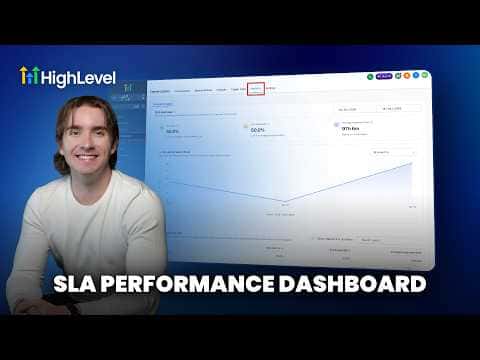
GoHighLevel's SLA analytics let you measure how quickly your team responds to contacts across every conversation channel. You set a time threshold per channel, and the platform tracks which messages were answered in time and which were not, giving you user-level and channel-level breakdowns so you can hold your team accountable.
Watch it, then build it
Get the full platform free for 30 days
That walkthrough runs on GoHighLevel. Start it free through RocketLauncher and you get 30 days instead of the usual 14, the whole platform unlocked, plus our setup help and a community of thousands of builders in 47+ countries.
30 days, not 14Full platform, nothing held backFree community and setup help
We earn a referral commission if you keep GoHighLevel after the trial. It never changes your price.
Summary. GoHighLevel lets you define response-time thresholds for each conversation channel, then automatically tracks whether those targets are met or missed. The SLA Analytics tab shows met versus breached percentages, average response times, and trends over any date range you choose. You can also view performance broken down by individual team member and by channel, making it straightforward to spot where responses are lagging.

Related tutorials
Watch it, then build it
Get the full platform free for 30 days
30 days, not 14Full platform, nothing held backFree community and setup help
Frequently asked questions
Where do I turn on SLA tracking in GoHighLevel?
Go to Conversations, then Settings, and enable SLA configuration there.
Can I set different response-time limits for SMS versus email?
Yes. Choose channel-specific SLAs to assign separate thresholds per channel.
What does a breached SLA mean?
A message was not answered within the time window you defined for that channel.