RocketLauncher AI

Getting Started & General

How to Optimize Product Media Layouts in GoHighLevel

By Marnix Geerkens. Published 2026-05-27. Updated 2026-06-02.

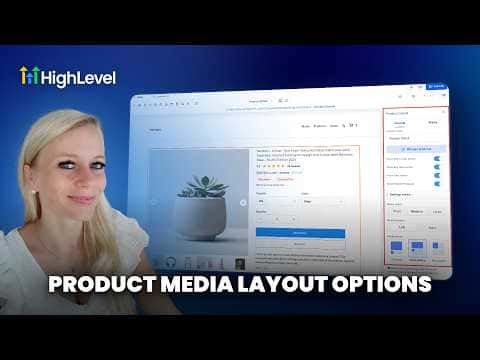
GoHighLevel gives you three media layout options for ecommerce product detail pages: carousel, stacked gallery, and two-column. You pick the layout once at the product detail page level, and it applies to every product in your store. The two-column layout is desktop only and automatically falls back to carousel on mobile devices.

Watch it, then build it

Get the full platform free for 30 days

That walkthrough runs on GoHighLevel. Start it free through RocketLauncher and you get 30 days instead of the usual 14, the whole platform unlocked, plus our setup help and a community of thousands of builders in 47+ countries.

30 days, not 14Full platform, nothing held backFree community and setup help

We earn a referral commission if you keep GoHighLevel after the trial. It never changes your price.

Summary. GoHighLevel's ecommerce stores support three product image layouts on the product details page: carousel, stacked gallery, and two columns. The layout is configured once per store rather than per product, so you do not need to update each item individually. Two-column display is limited to desktop and reverts to carousel on mobile, and existing stores keep their original gallery layout until you manually update it.
Related tutorials

How To Track Product Margins in HighLevel for Ecommerce
How To Track Product Margins in HighLevel for Ecommerce2:33 · Getting Started & General
How To Track SLA Performance in HighLevel's CRM
How To Track SLA Performance in HighLevel's CRM3:28 · Getting Started & General
How To Filter Media by File Type in HighLevel
How To Filter Media by File Type in HighLevel1:22 · Getting Started & General
How To Add Taxes to Rentals in HighLevel Easily
How To Add Taxes to Rentals in HighLevel Easily2:09 · Getting Started & General
Did You Know You Can Host Paid Communities Directly in HighLevel?
Did You Know You Can Host Paid Communities Directly in HighLevel?1:57 · Getting Started & General
How To Set Up ACH Transfers with NMI in HighLevel
How To Set Up ACH Transfers with NMI in HighLevel2:37 · Getting Started & General

Watch it, then build it

Get the full platform free for 30 days

30 days, not 14Full platform, nothing held backFree community and setup help

Frequently asked questions

Does the layout setting apply to every product in my store?

Yes. The layout is set at the product details page level, not per product.

What happens to the two-column layout on mobile?

GoHighLevel automatically switches to carousel when a visitor is on mobile.

Will my existing store switch to the new layouts automatically?

No. Existing stores keep the gallery layout until you manually change it.

Back to all Getting Started & General tutorials