Getting Started & General

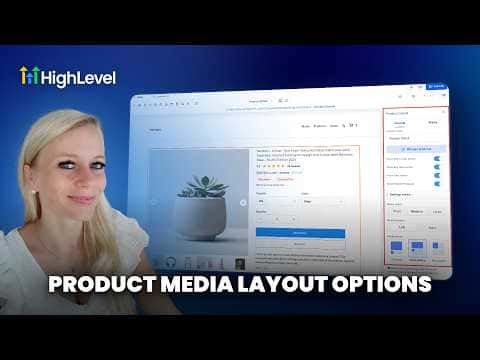
How to Optimize Product Media Layouts in GoHighLevel

GoHighLevel gives you three media layout options for ecommerce product detail pages: carousel, stacked gallery, and two-column. You pick the layout once at the product detail page level, and it applies to every product in your store. The two-column layout is desktop only and automatically falls back to carousel on mobile devices.

Actualizado el 2 de junio de 2026

2:33

Resumen. GoHighLevel's ecommerce stores support three product image layouts on the product details page: carousel, stacked gallery, and two columns. The layout is configured once per store rather than per product, so you do not need to update each item individually. Two-column display is limited to desktop and reverts to carousel on mobile, and existing stores keep their original gallery layout until you manually update it.
Preguntas frecuentes

Does the layout setting apply to every product in my store?

Yes. The layout is set at the product details page level, not per product.

What happens to the two-column layout on mobile?

GoHighLevel automatically switches to carousel when a visitor is on mobile.

Will my existing store switch to the new layouts automatically?

No. Existing stores keep the gallery layout until you manually change it.

Constrúyelo con gente que ya lo hizo.

Únete a la comunidad gratis: llamadas en vivo cada semana, un curso para empezar y gente que construye en tu idioma.

Únete gratis en Skool