Getting Started & General
Track and Improve Your Business Profile Health Score in GoHighLevel
By Marnix Geerkens. Published 2025-09-09. Updated 2026-06-02.
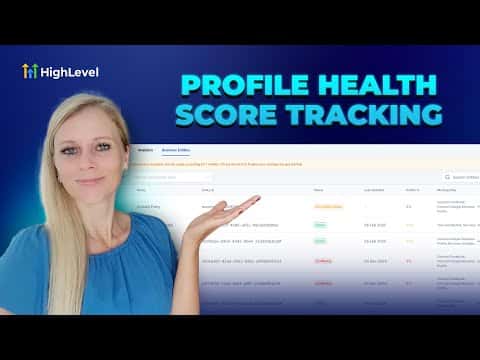
GoHighLevel's profile progress tracker scans your business listing data across directories and gives you a health score based on how complete and consistent your information is. The smart to-do list shows exactly what is missing, from unlinked social accounts to incomplete address details, and each action is prioritized by urgency. Fixing these gaps improves how easily local customers find your business online.
Watch it, then build it
Get the full platform free for 30 days
That walkthrough runs on GoHighLevel. Start it free through RocketLauncher and you get 30 days instead of the usual 14, the whole platform unlocked, plus our setup help and a community of thousands of builders in 47+ countries.
30 days, not 14Full platform, nothing held backFree community and setup help
We earn a referral commission if you keep GoHighLevel after the trial. It never changes your price.
Summary. The GoHighLevel profile progress tracker scans your business information across dozens of online directories and scores how complete your listing is. It produces a personalized checklist of missing or conflicting data, such as unconnected social accounts or incomplete contact details, so you can work through the highest-priority fixes first and improve your local visibility.
Steps
Scan your business
Click Reputation on the left sidebar, select Listings, and click Scan My Business for Free. Enter your business name, address, phone number, and city, then click Scan.
Review your online presence report
The system shows which directories list your business and where you are missing or have conflicting information. Check the Overview tab for a summary of publishers, categories, and social presence.
Work through the smart to-do list
Scroll to the smart to-do list and complete each action item, such as connecting your Facebook page or filling in missing business hours. Items are ordered by urgency.
Activate your listing and resolve conflicts
In the Business Entities tab, find any listings marked Incomplete or Conflicted and update them until the status changes to Active.

Related tutorials
Watch it, then build it
Get the full platform free for 30 days
30 days, not 14Full platform, nothing held backFree community and setup help
Frequently asked questions
What is a Business Profile Health Score in GoHighLevel?
It measures how complete and consistent your business data is across online directories.
How do I fix a conflicted business entity?
Open the Business Entities tab, find the conflict, and update the required fields to resolve it.
Can I boost my listing visibility directly from GoHighLevel?
Yes, the scan results include an option to subscribe to a listings boost service.