RocketLauncher AI

Getting Started & General

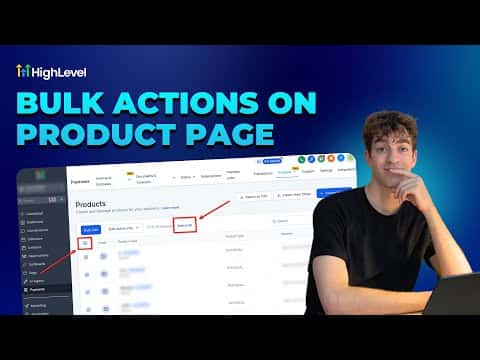
Use Bulk Actions on the GoHighLevel Product Page

By Marnix Geerkens. Published 2026-01-16. Updated 2026-06-02.

GoHighLevel's product page includes bulk action tools that let you update, archive, or delete multiple products at once instead of editing them one by one. Select the products you want to change, choose an action from the bulk menu, and apply it across your entire selection in a few clicks. This is especially useful when you are reorganizing a store with a large catalog.

Watch it, then build it

Get the full platform free for 30 days

That walkthrough runs on GoHighLevel. Start it free through RocketLauncher and you get 30 days instead of the usual 14, the whole platform unlocked, plus our setup help and a community of thousands of builders in 47+ countries.

30 days, not 14Full platform, nothing held backFree community and setup help

We earn a referral commission if you keep GoHighLevel after the trial. It never changes your price.

Summary. The GoHighLevel Products section supports bulk actions so you can manage many products at once without opening each record individually. You can select multiple products and apply actions like archiving or deleting in a single step, which keeps your ecommerce catalog organized with much less manual work.


Related tutorials

Did You Know You Can Boost Sales with One Click Upsells in HighLevel?
Did You Know You Can Boost Sales with One Click Upsells in HighLevel?2:47 · Getting Started & General
How To Track Gift Card Performance Analytics
How To Track Gift Card Performance Analytics4:11 · Getting Started & General
Did You Know You Can Customize Marketing Audits to Match Your Brand?
Did You Know You Can Customize Marketing Audits to Match Your Brand?2:28 · Getting Started & General
How To Create a Brand Board in HighLevel for Consistent Branding
How To Create a Brand Board in HighLevel for Consistent Branding4:09 · Getting Started & General
How to Track and Improve Your Business Profile Health Score
How to Track and Improve Your Business Profile Health Score3:51 · Getting Started & General
Did You Know You Can Jumpstart Your Business Using Our Template Library
Did You Know You Can Jumpstart Your Business Using Our Template Library2:01 · Getting Started & General

Watch it, then build it

Get the full platform free for 30 days

30 days, not 14Full platform, nothing held backFree community and setup help

Frequently asked questions

Where do I find the bulk actions on the product page?

Go to Payments, then Products. Select items using the checkboxes to reveal the bulk action menu.

Can I bulk-archive products without deleting them?

Yes, archiving is available as a bulk action and keeps the product data intact.

Is there a limit to how many products I can select at once?

GoHighLevel allows selecting all visible products on the current page for bulk actions.

Back to all Getting Started & General tutorials