RocketLauncher AI

Funnels & Websites

How to Include WordPress Sites in GoHighLevel Snapshots

By Marnix Geerkens. Published 2026-03-30. Updated 2026-06-02.

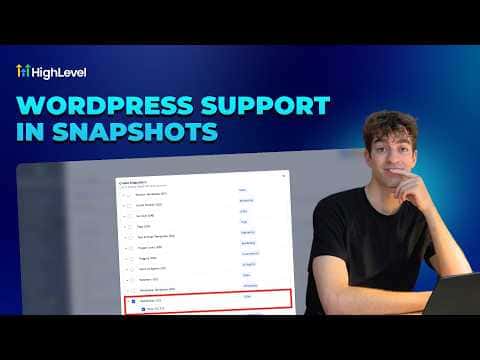
GoHighLevel snapshots can bundle a complete WordPress site, including its pages, theme, plugins, and settings, so you can deploy the same environment into any sub-account without rebuilding it by hand. When creating a snapshot at the agency level, scroll to the bottom of the asset list and toggle on WordPress Sites. Any existing WordPress site in the source sub-account appears in the dropdown and gets packaged with the snapshot.

Watch it, then build it

Get the full platform free for 30 days

That walkthrough runs on GoHighLevel. Start it free through RocketLauncher and you get 30 days instead of the usual 14, the whole platform unlocked, plus our setup help and a community of thousands of builders in 47+ countries.

30 days, not 14Full platform, nothing held backFree community and setup help

We earn a referral commission if you keep GoHighLevel after the trial. It never changes your price.

Summary. GoHighLevel snapshots support full WordPress site inclusion, letting agencies replicate entire site environments across sub-accounts in one step. When creating a snapshot, enabling the WordPress Sites toggle packages the chosen site alongside other assets like funnels, workflows, and pipelines. Existing snapshots can be updated at any time through the Settings panel to add or remove the WordPress site without recreating the snapshot from scratch.

Want the full picture? Read more about the GoHighLevel funnel builder.

Related tutorials

How To Access and Understand WordPress Site Performance Reports in HighLevel
How To Access and Understand WordPress Site Performance Reports in HighLevel2:03 · Funnels & Websites
Did You Know You Can Turn an AI Draft into a Live Lead Funnel?
Did You Know You Can Turn an AI Draft into a Live Lead Funnel?2:03 · Funnels & Websites
How to Manage Files Effectively in Your Mobile Media Library
How to Manage Files Effectively in Your Mobile Media Library3:47 · Funnels & Websites
How to Analyze Funnel and Website Traffic by Country
How to Analyze Funnel and Website Traffic by Country2:58 · Funnels & Websites
How to Optimize Your Website Using Browser and IP Analytics
How to Optimize Your Website Using Browser and IP Analytics4:08 · Funnels & Websites
How to Update PHP Versions on Your WordPress Site in HighLevel
How to Update PHP Versions on Your WordPress Site in HighLevel1:30 · Funnels & Websites

Watch it, then build it

Get the full platform free for 30 days

30 days, not 14Full platform, nothing held backFree community and setup help

Frequently asked questions

Can I add a WordPress site to an existing snapshot?

Yes, open the snapshot settings, go to Assets, and toggle the WordPress site on.

What parts of the WordPress site does the snapshot include?

Pages, theme, plugins, and settings are all bundled into the snapshot.

Where is the WordPress Sites toggle when creating a snapshot?

Scroll to the bottom of the asset list during snapshot creation to find it.

Back to all Funnels & Websites tutorials