RocketLauncher AI

Forms & Surveys

How to Create a Form in GoHighLevel

By Marnix Geerkens. Published 2023-05-01. Updated 2026-06-02.

GoHighLevel forms live inside Sites under the Forms section. Open the Builder, create a folder if you want to stay organized, then add a new form. Drag fields from the right-side panel onto the blank canvas, give the form a name under Options, configure the post-submit action, and save. The whole process takes under two minutes for a basic lead capture form.

Watch it, then build it

Get the full platform free for 30 days

That walkthrough runs on GoHighLevel. Start it free through RocketLauncher and you get 30 days instead of the usual 14, the whole platform unlocked, plus our setup help and a community of thousands of builders in 47+ countries.

30 days, not 14Full platform, nothing held backFree community and setup help

We earn a referral commission if you keep GoHighLevel after the trial. It never changes your price.

Summary. GoHighLevel's form builder lets you collect contact information by dragging pre-built and custom fields onto a blank canvas. Once the fields are in place, you configure what happens after a visitor submits, choose a thank-you message or a redirect URL, apply any styling, and grab the embed code or direct link to place it on any website. Custom fields that do not yet exist in your account can be created from within the builder without leaving the page.

What you will learn

  • Navigate to Sites > Forms > Builder inside a sub-account
  • Organize forms into folders before building
  • Add fields by dragging from the right-side panel
  • Rename a form and set post-submit behavior in Options
  • Embed the form on external sites using the integrate button
  • Create missing custom fields without leaving the form builder

Steps

  1. Open the form builder

    Inside your sub-account, click Sites in the left navigation, then choose Forms and select Builder.

  2. Create a folder (optional)

    Click the Create Folder button in the upper right if you want to group related forms together. Give the folder a descriptive name.

  3. Add a new form

    Click Add Form. You will land on a blank canvas with a field panel on the right side.

  4. Drag fields onto the form

    Click and drag any field from the right panel onto the canvas. Common starting points are Full Name, Phone, and Email.

  5. Name and configure the form

    Click Options, type the form name, and set the post-submit action to either a redirect URL or a custom thank-you message.

  6. Style and add tracking (optional)

    Still in Options, adjust background color, font color, and add a Facebook Pixel ID if you are running paid ads.

  7. Embed or copy the link

    Click Integrate Form to choose an embed layout, then copy either the embed code or the direct form link to place on your site.

  8. Save the form

    Click Save. The form is now live and will start capturing submissions as soon as it receives traffic.

Tips

  • If a field you need does not appear in the panel, go to Fields > Custom Fields and create it there first.
  • Set a redirect to a thank-you page with a calendar booking link to turn form completions into appointments automatically.
Related tutorials

How To Use Conditional Logic in Forms
How To Use Conditional Logic in Forms5:25 · Forms & Surveys
Creating Interactive Quizzes to Tailor Your Audience's Experience
Creating Interactive Quizzes to Tailor Your Audience's Experience9:35 · Forms & Surveys
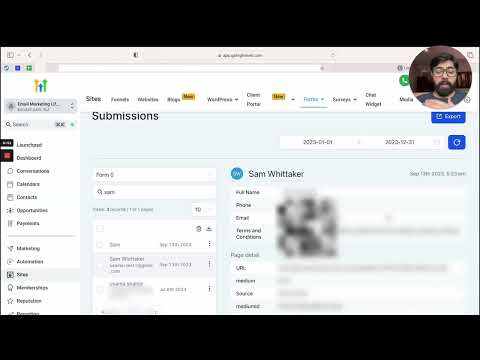
How To Track Form Submissions in HighLevel
How To Track Form Submissions in HighLevel5:21 · Forms & Surveys
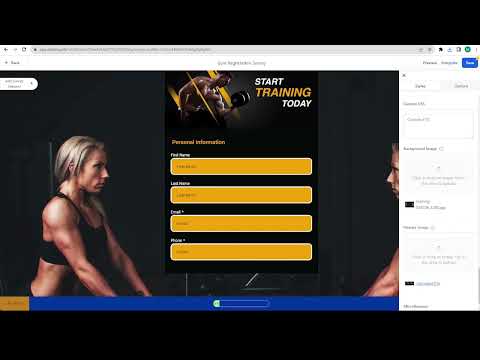
How To Create A Stylized Survey
How To Create A Stylized Survey3:49 · Forms & Surveys
How to Use the Math Calculations Feature in HighLevel Forms and Surveys
How to Use the Math Calculations Feature in HighLevel Forms and Surveys3:21 · Forms & Surveys
How to Quickly Add and Edit Custom Fields in Forms and Surveys
How to Quickly Add and Edit Custom Fields in Forms and Surveys1:56 · Forms & Surveys

Watch it, then build it

Get the full platform free for 30 days

30 days, not 14Full platform, nothing held backFree community and setup help

Frequently asked questions

Where do I find the form builder in GoHighLevel?

Go to Sites, then Forms, then Builder inside any sub-account.

Can I embed a GoHighLevel form on a WordPress site?

Yes. Click Integrate Form, pick a layout, and copy the embed code into any page.

What happens after someone submits the form?

You choose: show a custom message or redirect them to any URL you set.

How do I create a custom field that is not already in the list?

Open Fields, click Custom Fields, then Add Custom Field to build one from scratch.

Do I need to be inside a sub-account to create a form?

Yes. Forms are created and stored at the sub-account level, not the agency level.

Back to all Forms & Surveys tutorials