 4:01
4:01Resumen. GoHighLevel's form builder lets you collect contact information by dragging pre-built and custom fields onto a blank canvas. Once the fields are in place, you configure what happens after a visitor submits, choose a thank-you message or a redirect URL, apply any styling, and grab the embed code or direct link to place it on any website. Custom fields that do not yet exist in your account can be created from within the builder without leaving the page.
Lo que aprenderás
- Navigate to Sites > Forms > Builder inside a sub-account
- Organize forms into folders before building
- Add fields by dragging from the right-side panel
- Rename a form and set post-submit behavior in Options
- Embed the form on external sites using the integrate button
- Create missing custom fields without leaving the form builder
Pasos
Open the form builder
Inside your sub-account, click Sites in the left navigation, then choose Forms and select Builder.
Create a folder (optional)
Click the Create Folder button in the upper right if you want to group related forms together. Give the folder a descriptive name.
Add a new form
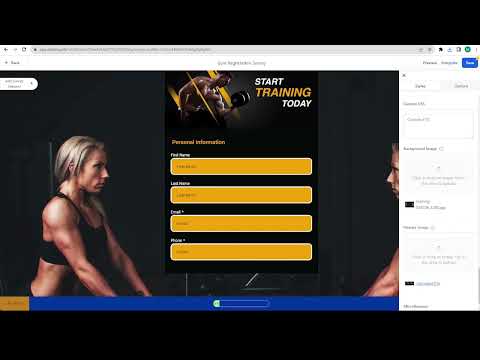
Click Add Form. You will land on a blank canvas with a field panel on the right side.
Drag fields onto the form
Click and drag any field from the right panel onto the canvas. Common starting points are Full Name, Phone, and Email.
Name and configure the form
Click Options, type the form name, and set the post-submit action to either a redirect URL or a custom thank-you message.
Style and add tracking (optional)
Still in Options, adjust background color, font color, and add a Facebook Pixel ID if you are running paid ads.
Embed or copy the link
Click Integrate Form to choose an embed layout, then copy either the embed code or the direct form link to place on your site.
Save the form
Click Save. The form is now live and will start capturing submissions as soon as it receives traffic.
Consejos
- If a field you need does not appear in the panel, go to Fields > Custom Fields and create it there first.
- Set a redirect to a thank-you page with a calendar booking link to turn form completions into appointments automatically.