Forms & Surveys
How to Add and Edit Custom Fields in GoHighLevel Forms and Surveys
By Marnix Geerkens. Published 2024-08-28. Updated 2026-06-02.
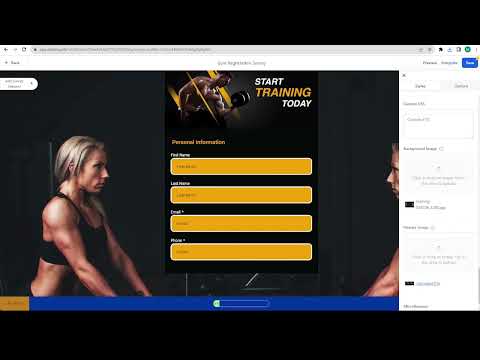
GoHighLevel now lets you edit dropdown options, checkbox labels, and radio button choices directly inside the form builder without creating an entirely new custom field each time you need a small change. Click the element on the canvas, update the options in the settings panel that appears, and save. No more rebuilding a field from scratch over a typo.
Watch it, then build it
Get the full platform free for 30 days
That walkthrough runs on GoHighLevel. Start it free through RocketLauncher and you get 30 days instead of the usual 14, the whole platform unlocked, plus our setup help and a community of thousands of builders in 47+ countries.
30 days, not 14Full platform, nothing held backFree community and setup help
We earn a referral commission if you keep GoHighLevel after the trial. It never changes your price.
Summary. Previously, changing an option in a dropdown or checkbox inside a GoHighLevel form meant deleting the field and starting over. The updated builder lets you click any choice element on the canvas and modify its labels, add new options, and delete unwanted ones directly in the right-side panel. This works for single dropdowns, multi-dropdowns, checkboxes, and radio buttons, cutting the time it takes to iterate on a form significantly.

Related tutorials
Watch it, then build it
Get the full platform free for 30 days
30 days, not 14Full platform, nothing held backFree community and setup help
Frequently asked questions
Which field types support inline editing of options?
Dropdowns (single and multi), checkboxes, and radio buttons all support direct option editing.
Can I add new options to a dropdown without leaving the form builder?
Yes. Click the dropdown element and use the settings panel to add, rename, or delete options on the spot.
Do I still need to create custom fields in the Custom Fields section?
Only for net-new fields. Existing choice fields can be edited inline without going to the Custom Fields section.