Forms & Surveys
How to Use the Quiz Template Library in GoHighLevel
By Marnix Geerkens. Published 2025-10-06. Updated 2026-06-02.
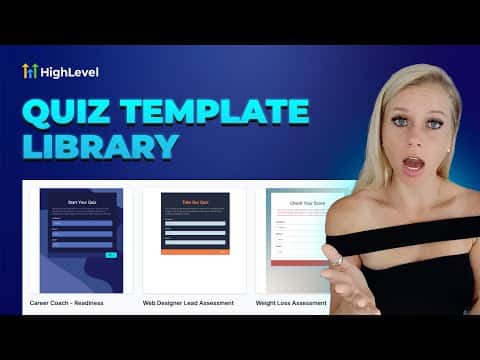
GoHighLevel's quiz template library gives you pre-built, categorized quiz designs you can add to your account in a few clicks and then customize fully. Browse by category, pick a template, hit Continue, and the quiz lands in your builder ready to edit. Nothing in your existing quiz library is overwritten.
Watch it, then build it
Get the full platform free for 30 days
That walkthrough runs on GoHighLevel. Start it free through RocketLauncher and you get 30 days instead of the usual 14, the whole platform unlocked, plus our setup help and a community of thousands of builders in 47+ countries.
30 days, not 14Full platform, nothing held backFree community and setup help
We earn a referral commission if you keep GoHighLevel after the trial. It never changes your price.
Summary. The template library inside GoHighLevel Quizzes works the same way as other template libraries in the platform. Templates are grouped by niche and use case, so a career coach can filter for career templates while a fitness trainer picks from fitness options. After importing a template, every element, color, question, and option is editable. The template is a starting point, not a locked design.
Related tutorials
Watch it, then build it
Get the full platform free for 30 days
30 days, not 14Full platform, nothing held backFree community and setup help
Frequently asked questions
Where do I access the quiz template library in GoHighLevel?
Go to Sites, then Quizzes, then Builder, then click Add Quiz and select the Templates option.
Will importing a template overwrite my existing quizzes?
No. The template is added as a new quiz and does not affect any quizzes already in your account.
Can I edit a quiz after importing it from the template library?
Yes. Every element, color, and question is fully editable after import.