Forms & Surveys
How to Access Form Submissions in GoHighLevel's Conversations Tab
By Marnix Geerkens. Published 2026-04-28. Updated 2026-06-02.
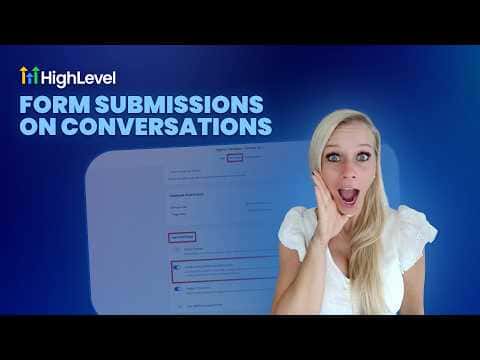
GoHighLevel can route every form submission directly into your Conversations tab, so you see a new message thread the moment someone fills out your form. Turn on one setting in the form builder, and all the contact details, consent data, and page event information appear in a single place alongside your other communications.
Watch it, then build it
Get the full platform free for 30 days
That walkthrough runs on GoHighLevel. Start it free through RocketLauncher and you get 30 days instead of the usual 14, the whole platform unlocked, plus our setup help and a community of thousands of builders in 47+ countries.
30 days, not 14Full platform, nothing held backFree community and setup help
We earn a referral commission if you keep GoHighLevel after the trial. It never changes your price.
Summary. GoHighLevel's Conversations tab can display form submissions as conversation threads when you enable the 'Create Conversation on Submission' toggle in the form builder settings. Each submission appears with a contact card that holds the full name, email, phone number, consent status, contact ID, time zone, and page event data. You can also filter the Conversations view to show only form submissions, which keeps things tidy when SMS, email, and WhatsApp threads are piling up.
Related tutorials
Watch it, then build it
Get the full platform free for 30 days
30 days, not 14Full platform, nothing held backFree community and setup help
Frequently asked questions
Where do I enable the setting to route form submissions into Conversations?
Go to Sites, then Forms, then Builder. Open your form, click Settings, and enable 'Create Conversation on Submission'.
What information shows up in the conversation when a form is submitted?
Full name, email, phone, consent checkbox status, contact ID, time zone, page details, and event data.
Can I filter the Conversations tab to show only form submissions?
Yes. Use the conversation type dropdown or the Filters tab and select 'Form Submission' as the last message channel.