Forms & Surveys
How to Secure GoHighLevel Forms Against Spam and Fake Submissions
By Marnix Geerkens. Published 2025-08-27. Updated 2026-06-02.
GoHighLevel gives you three ways to stop spam from polluting your CRM: CAPTCHA to block bots, phone and email verification to confirm real contacts, and geo restrictions to limit submissions by country. Apply all three on high-volume forms or any form connected to an automation that sends SMS or emails, because fake entries trigger real costs.
Watch it, then build it
Get the full platform free for 30 days
That walkthrough runs on GoHighLevel. Start it free through RocketLauncher and you get 30 days instead of the usual 14, the whole platform unlocked, plus our setup help and a community of thousands of builders in 47+ countries.
30 days, not 14Full platform, nothing held backFree community and setup help
We earn a referral commission if you keep GoHighLevel after the trial. It never changes your price.
Summary. Spam form submissions create fake contacts in your CRM, trigger unnecessary automations, and inflate SMS and email costs. GoHighLevel addresses this with CAPTCHA (a checkbox respondents must tick to prove they are human), real-time phone and email verification codes, and geography-based SMS permissions that can be restricted by country through HighLevel support. Each method adds a layer of friction that bots cannot pass but genuine contacts handle in seconds.
Steps
Open a form in the builder
Go to Sites, then Forms, then Builder. Open an existing form or create a new one.
Add a CAPTCHA element
Scroll down in the left elements panel to find Captcha. Drag it onto the form. Respondents will see a checkbox labeled I am not a robot and must tick it before submitting.
Enable phone verification
Click the Phone field on the canvas. In the right settings panel, scroll down and check the box next to Validate Phone. A Verify Phone button will appear on the form for respondents to confirm their number via a one-time code.
Enable email verification
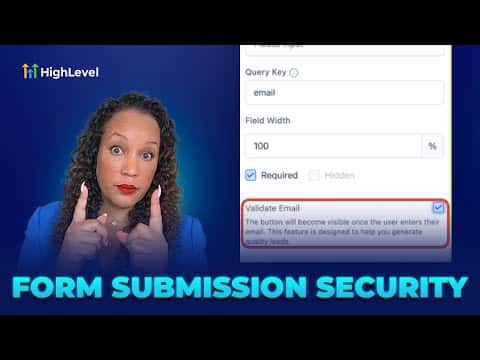
Click the Email field on the canvas. In the settings panel, enable the email validation option. Respondents will need to enter a code sent to the address they typed before the form submits.
Restrict SMS by geography (if needed)
GoHighLevel's SMS geo permissions are managed at the sub-account level. Contact HighLevel support with your location ID and the list of countries you want to enable or disable for calling and texting.
Related tutorials
Watch it, then build it
Get the full platform free for 30 days
30 days, not 14Full platform, nothing held backFree community and setup help
Frequently asked questions
Why does spam in my form cost money?
Fake submissions trigger automations that send real SMS messages and emails, which have per-send costs.
Does CAPTCHA stop all spam submissions?
It stops most automated bot submissions. Combine it with phone or email verification for stronger protection.
Can I require both phone and email verification on the same form?
Yes. Enable validation on both the Phone and Email fields independently.