मेन्यू
RocketLauncher

Forms & Surveys

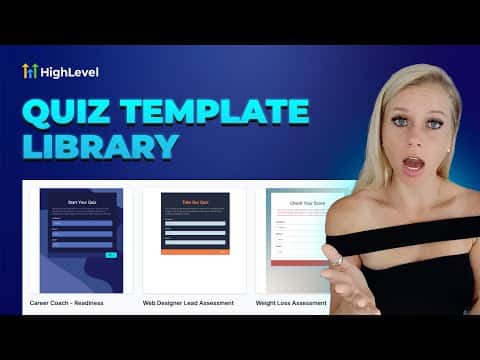
How to Use the Quiz Template Library in GoHighLevel

GoHighLevel's quiz template library gives you pre-built, categorized quiz designs you can add to your account in a few clicks and then customize fully. Browse by category, pick a template, hit Continue, and the quiz lands in your builder ready to edit. Nothing in your existing quiz library is overwritten.

अपडेट: 2 जून 2026

1:42

सारांश. The template library inside GoHighLevel Quizzes works the same way as other template libraries in the platform. Templates are grouped by niche and use case, so a career coach can filter for career templates while a fitness trainer picks from fitness options. After importing a template, every element, color, question, and option is editable. The template is a starting point, not a locked design.
लोग जो सवाल पूछते हैं

Where do I access the quiz template library in GoHighLevel?

Go to Sites, then Quizzes, then Builder, then click Add Quiz and select the Templates option.

Will importing a template overwrite my existing quizzes?

No. The template is added as a new quiz and does not affect any quizzes already in your account.

Can I edit a quiz after importing it from the template library?

Yes. Every element, color, and question is fully editable after import.

उन लोगों के साथ बनाएँ जो पहले बना चुके हैं।

फ्री कम्युनिटी से जुड़ें: हर हफ़्ते लाइव कॉल, एक स्टार्ट-हियर कोर्स और आपकी भाषा में बोलने वाले बिल्डर्स।

Skool पर फ्री जुड़ें