RocketLauncher AI

CRM, Contacts & Lead Gen

How to Manage Duplicate Contacts in GoHighLevel

By Marnix Geerkens. Published 2025-09-16. Updated 2026-06-02.

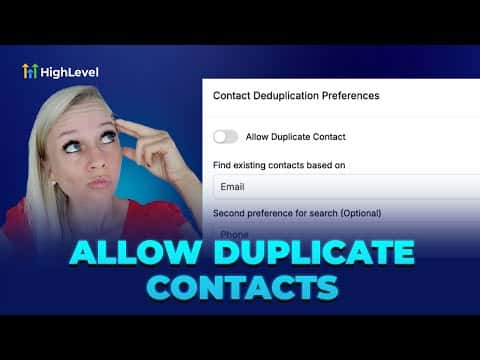
GoHighLevel gives you a global toggle to allow or block duplicate contacts created through forms and Zapier connections. When duplicates are blocked, the CRM updates the existing record instead of creating a new one, matching first by phone or email depending on your preference. For contacts already doubled up, a manual merge tool lets you pick which data points to keep, handling up to 10 contacts at once.

Watch it, then build it

Get the full platform free for 30 days

That walkthrough runs on GoHighLevel. Start it free through RocketLauncher and you get 30 days instead of the usual 14, the whole platform unlocked, plus our setup help and a community of thousands of builders in 47+ countries.

30 days, not 14Full platform, nothing held backFree community and setup help

We earn a referral commission if you keep GoHighLevel after the trial. It never changes your price.

Summary. The contact deduplication setting in GoHighLevel applies to inbound contacts arriving via forms or Zapier, not to CSV uploads (those go through a separate import flow). Turning the toggle off prevents new duplicate records and lets you choose whether the system matches on phone number first or email first. When you need to clean up existing duplicates, select up to 10 contacts and use the merge tool to decide field by field which version of the data to keep.

Related tutorials

How To Use HighLevel's AI Business Card Scanner
How To Use HighLevel's AI Business Card Scanner2:11 · CRM, Contacts & Lead Gen
How To Use HighLevel s Contact Features Like a Pro
How To Use HighLevel s Contact Features Like a Pro5:56 · CRM, Contacts & Lead Gen
How to Use Smart List 2.0 and List View in HighLevel
How to Use Smart List 2.0 and List View in HighLevel1:50 · CRM, Contacts & Lead Gen
How To Customize the Add Contact Modal in HighLevel
How To Customize the Add Contact Modal in HighLevel2:24 · CRM, Contacts & Lead Gen
How to Connect Notes to Contacts and Opportunities Easily
How to Connect Notes to Contacts and Opportunities Easily2:09 · CRM, Contacts & Lead Gen
How to Import Your Entire Shopify Store in Just a Few Clicks
How to Import Your Entire Shopify Store in Just a Few Clicks4:21 · CRM, Contacts & Lead Gen

Watch it, then build it

Get the full platform free for 30 days

30 days, not 14Full platform, nothing held backFree community and setup help

Frequently asked questions

Where is the duplicate contacts setting in GoHighLevel?

Settings, then Business Profile, then scroll to Contact Duplication Preferences.

Does this setting affect CSV imports?

No. CSV imports detect and handle duplicates separately during the upload process.

How many contacts can I merge at once?

Up to 10 contacts at a time using the bulk merge option.

Back to all CRM, Contacts & Lead Gen tutorials