CRM, Contacts & Lead Gen

How to Manage Duplicate Contacts in GoHighLevel

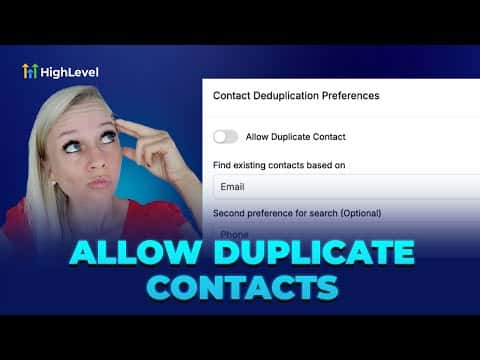
GoHighLevel gives you a global toggle to allow or block duplicate contacts created through forms and Zapier connections. When duplicates are blocked, the CRM updates the existing record instead of creating a new one, matching first by phone or email depending on your preference. For contacts already doubled up, a manual merge tool lets you pick which data points to keep, handling up to 10 contacts at once.

Atualizado em 2 de junho de 2026

2:45

Resumo. The contact deduplication setting in GoHighLevel applies to inbound contacts arriving via forms or Zapier, not to CSV uploads (those go through a separate import flow). Turning the toggle off prevents new duplicate records and lets you choose whether the system matches on phone number first or email first. When you need to clean up existing duplicates, select up to 10 contacts and use the merge tool to decide field by field which version of the data to keep.

Perguntas frequentes

Where is the duplicate contacts setting in GoHighLevel?

Settings, then Business Profile, then scroll to Contact Duplication Preferences.

Does this setting affect CSV imports?

No. CSV imports detect and handle duplicates separately during the upload process.

How many contacts can I merge at once?

Up to 10 contacts at a time using the bulk merge option.

Crie com quem já criou.

Entre na comunidade gratuita: lives semanais, um curso para começar e criadores no seu idioma.

Entre de graça no Skool