RocketLauncher AI

CRM, Contacts & Lead Gen

How to Import Contacts and Opportunities via CSV in GoHighLevel

By Marnix Geerkens. Published 2025-06-12. Updated 2026-06-02.

GoHighLevel lets you bulk import contacts and pipeline opportunities from a CSV file in one workflow. Download the sample file to format your data correctly, map each column to the right CRM field, choose your deduplication settings, and kick off the import. Progress tracks in real time under Bulk Actions so you can catch any errors before they affect your pipeline.

Watch it, then build it

Get the full platform free for 30 days

That walkthrough runs on GoHighLevel. Start it free through RocketLauncher and you get 30 days instead of the usual 14, the whole platform unlocked, plus our setup help and a community of thousands of builders in 47+ countries.

30 days, not 14Full platform, nothing held backFree community and setup help

We earn a referral commission if you keep GoHighLevel after the trial. It never changes your price.

Summary. Bulk importing a contact list into GoHighLevel takes a formatted CSV and a few mapping decisions. The import wizard walks through file upload, opportunity creation mode (create, create-and-update, or update only), contact deduplication preferences, and column-to-field mapping. Once the import runs, a live progress view shows successes, warnings, and errors, and you can optionally add imported contacts to a workflow or tag them for later filtering.
Related tutorials

How to Use the Business Card Scanner in the Mobile App
How to Use the Business Card Scanner in the Mobile App1:19 · CRM, Contacts & Lead Gen
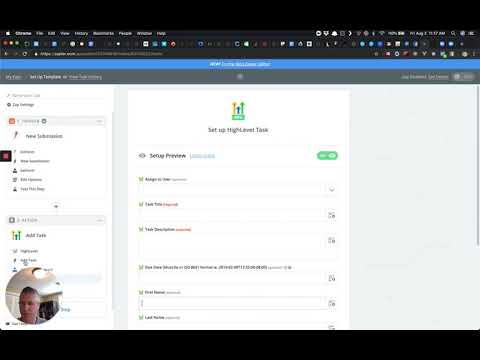
Add tags + add task zap
Add tags + add task zap1:28 · CRM, Contacts & Lead Gen
How to Use Contact Engagement / Lead Scoring in HighLevel
How to Use Contact Engagement / Lead Scoring in HighLevel4:11 · CRM, Contacts & Lead Gen
How To Create Custom Values
How To Create Custom Values3:16 · CRM, Contacts & Lead Gen
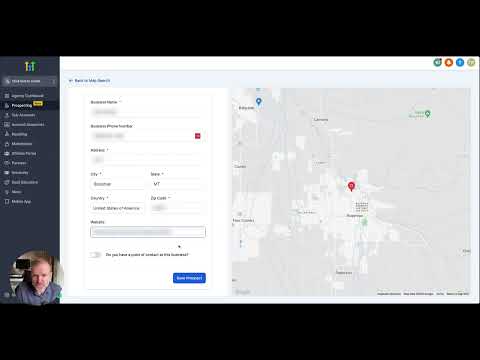
How To Use The Prospecting Tool
How To Use The Prospecting Tool3:33 · CRM, Contacts & Lead Gen
How To Generate Leads From Local Chamber & BNI Meetups!
How To Generate Leads From Local Chamber & BNI Meetups!2:15 · CRM, Contacts & Lead Gen

Watch it, then build it

Get the full platform free for 30 days

30 days, not 14Full platform, nothing held backFree community and setup help

Frequently asked questions

Where do I start a CSV import in GoHighLevel?

Go to Opportunities, choose your pipeline, then click Import in the top right corner.

Can I import both contacts and deals at the same time?

Yes. Select the combined contacts and opportunities option in the import wizard.

What happens if a contact already exists in the CRM?

Deduplication settings (from Business Profile) determine whether the record is created fresh or merged with the existing one.

Back to all CRM, Contacts & Lead Gen tutorials