Workflows & Automation
How to Use the Drip Action in GoHighLevel Workflows
By Marnix Geerkens. Published 2023-11-28. Updated 2026-06-02.
The Drip action in GoHighLevel workflows acts as a gate that controls how many contacts advance past a certain step at a time. Instead of letting everyone through at once, you set a batch size and a time interval. Every interval, only that many contacts move forward. This is useful for warming up an email provider, managing sending limits, or pacing high-volume campaigns.
Watch it, then build it
Get the full platform free for 30 days
That walkthrough runs on GoHighLevel. Start it free through RocketLauncher and you get 30 days instead of the usual 14, the whole platform unlocked, plus our setup help and a community of thousands of builders in 47+ countries.
30 days, not 14Full platform, nothing held backFree community and setup help
We earn a referral commission if you keep GoHighLevel after the trial. It never changes your price.
Summary. GoHighLevel's Drip workflow action inserts a throttle point into any automation. You choose a batch size of up to 10,000 contacts and an interval between one minute and seven days, and the workflow releases that many contacts at each interval. Everyone else waits behind the gate until their turn comes, keeping your sending rate predictable and your infrastructure stable.
Steps
Open or create a workflow
Go to Automation, then Workflows, and open an existing workflow or click Create Workflow to start a new one.
Add the Drip action at the rate-limiting point
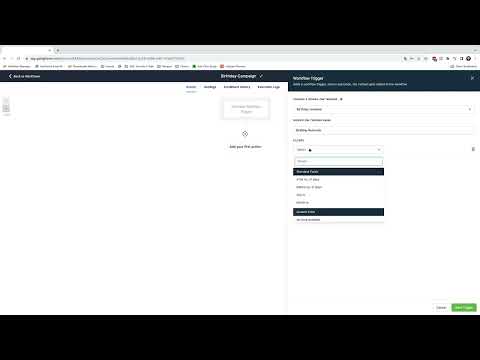
Click the plus icon at the position in your workflow where you want to control the flow. Search for Drip and select Drip Mode from the results.
Set the batch size and interval
Enter the number of contacts to release per batch (up to 10,000) and choose the time interval between batches. Options range from one minute to seven days. Set these based on your sending limits or engagement goals.

Related tutorials
Watch it, then build it
Get the full platform free for 30 days
30 days, not 14Full platform, nothing held backFree community and setup help
Frequently asked questions
What is the maximum batch size for the Drip action?
Up to 10,000 contacts per batch.
What is the shortest interval between drip batches?
One minute is the minimum interval.
What is a good reason to use the Drip action?
Warming up a new SMTP provider by limiting daily sends to a manageable volume.