RocketLauncher AI

Workflows & Automation

How to Build Abandoned Cart Nurtures for New Affiliate Signups in GoHighLevel

By Marnix Geerkens. Published 2022-02-18. Updated 2026-06-02.

GoHighLevel affiliate signups use a two-step order form. When someone fills out step one but stops before step two, an abandoned cart nurture workflow can re-engage them automatically with an SMS and email before they go cold. A second workflow removes them from the nurture the moment they complete step two, so no one receives recovery messages after they have already signed up.

Watch it, then build it

Get the full platform free for 30 days

That walkthrough runs on GoHighLevel. Start it free through RocketLauncher and you get 30 days instead of the usual 14, the whole platform unlocked, plus our setup help and a community of thousands of builders in 47+ countries.

30 days, not 14Full platform, nothing held backFree community and setup help

We earn a referral commission if you keep GoHighLevel after the trial. It never changes your price.

Summary. This setup uses two GoHighLevel workflows and two tags to handle the gap between step one and step two of an affiliate order form. The first workflow watches for the step-one tag, waits a few minutes, then sends a quick SMS and email asking if the person has any questions. The second workflow triggers on the step-two tag and immediately removes the contact from the first workflow so the nurture stops as soon as the signup is complete.

Steps

  1. Create two tags in GoHighLevel settings

    Go to Settings, then Tags, and create one tag called New Affiliate 1 of 2 and a second called New Affiliate 2 of 2. These tags track which step of the two-step form a contact has completed.

  2. Build the abandoned cart workflow

    Create a new workflow and set the trigger to Contact Tag Added, filtered to the New Affiliate 1 of 2 tag. This fires when someone completes step one of the signup form.

  3. Add a short wait step

    Insert a wait of five to ten minutes after the trigger. This window lets people who move quickly through both steps skip the nurture entirely before the follow-up sends.

  4. Send a recovery SMS

    Add a Send SMS action with a short personal message noting that they started the signup but did not finish and offering to answer any questions. Keep it brief and open-ended.

  5. Follow up with an email

    Add a Send Email action with a similar message and a link to your calendar so they can book a call to get their questions answered before deciding.

  6. Build the completion workflow

    Create a second workflow triggered by the New Affiliate 2 of 2 tag. The first action should be Remove from Workflow, pointing to the abandoned cart workflow. Then add a welcome SMS and email congratulating them and offering to jump on a call to get started.
Related tutorials

How to Use the Pageview (Page Visited) Trigger in Workflows
How to Use the Pageview (Page Visited) Trigger in Workflows7:53 · Workflows & Automation
How to Use HighLevel Trigger Links for Marketing Automation
How to Use HighLevel Trigger Links for Marketing Automation4:21 · Workflows & Automation
How to Create Marketplace Workflow Triggers
How to Create Marketplace Workflow Triggers10:27 · Workflows & Automation
How To Use The Drip Action In Workflows
How To Use The Drip Action In Workflows2:50 · Workflows & Automation
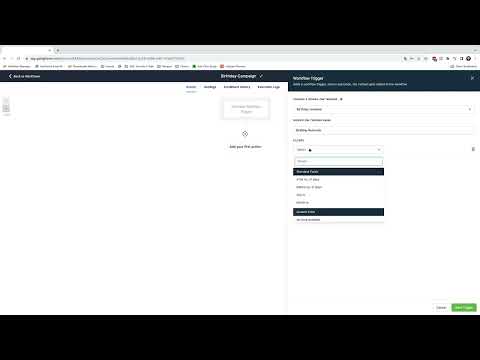
How To Build a Birthday Campaign Using Workflows
How To Build a Birthday Campaign Using Workflows5:11 · Workflows & Automation
How To Copy Workflows Across Sub-Accounts
How To Copy Workflows Across Sub-Accounts2:12 · Workflows & Automation

Watch it, then build it

Get the full platform free for 30 days

30 days, not 14Full platform, nothing held backFree community and setup help

Frequently asked questions

Why use two separate workflows instead of one?

The second workflow actively removes contacts from the first, stopping the nurture cleanly when someone completes the signup.

How do the tags get added to a contact?

Tags are added via Zapier or another integration that fires when each step of the affiliate order form is submitted.

How long should the wait step be before sending the first message?

Five to ten minutes is enough. Most people who finish both steps do so within a minute or two of each other.

Back to all Workflows & Automation tutorials