Workflows & Automation
How to Use Delinked Nodes in GoHighLevel's Advanced Workflow Builder
By Marnix Geerkens. Published 2026-03-09. Updated 2026-06-02.
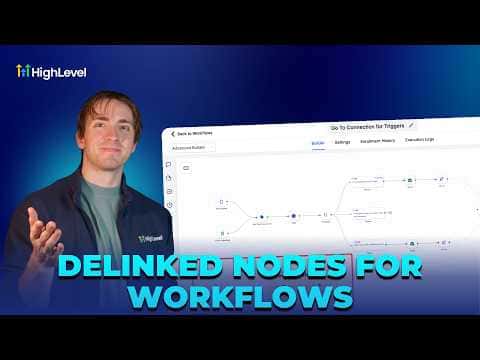
Delinked nodes in GoHighLevel's Advanced Workflow Builder let you place multiple independent trigger-and-action sequences inside a single workflow canvas. Each sequence runs on its own without connecting to the others, so you can manage related automations, such as separate reply flows for SMS, email, and Instagram, from one organized view instead of maintaining a pile of separate workflows.
Watch it, then build it
Get the full platform free for 30 days
That walkthrough runs on GoHighLevel. Start it free through RocketLauncher and you get 30 days instead of the usual 14, the whole platform unlocked, plus our setup help and a community of thousands of builders in 47+ countries.
30 days, not 14Full platform, nothing held backFree community and setup help
We earn a referral commission if you keep GoHighLevel after the trial. It never changes your price.
Summary. GoHighLevel's Advanced Workflow Builder supports delinked nodes, which are fully independent automation sequences that share a canvas but do not connect to each other. This makes it practical to consolidate similar workflows, compare their performance stats side by side, and cross-reference actions across them, all without the clutter of navigating between many separate workflow files. A contact can progress through multiple delinked paths simultaneously, and all progress is visible from one place.

Related tutorials
Watch it, then build it
Get the full platform free for 30 days
30 days, not 14Full platform, nothing held backFree community and setup help
Frequently asked questions
Do delinked nodes interfere with each other when they run?
No, each delinked node sequence runs independently without affecting the others.
Can I publish a workflow that has delinked nodes?
Yes, the workflow publishes and all active delinked paths run as expected.
How do I see stats for each delinked sequence?
All stats appear inside the same workflow view, so you compare them without switching files.