RocketLauncher AI

Workflows & Automation

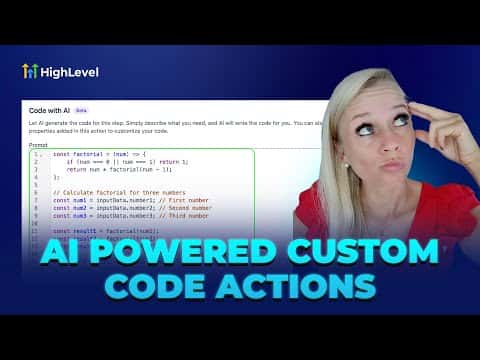
How to Generate Custom Code with AI in GoHighLevel Workflows

By Marnix Geerkens. Published 2025-09-18. Updated 2026-06-02.

GoHighLevel's workflow builder includes an AI code generator that writes custom JavaScript for you inside the Custom Code action. Describe what you need in plain language, and the AI produces working code you can review and save. This removes the barrier for founders who need logic beyond standard actions but do not want to write code from scratch.

Watch it, then build it

Get the full platform free for 30 days

That walkthrough runs on GoHighLevel. Start it free through RocketLauncher and you get 30 days instead of the usual 14, the whole platform unlocked, plus our setup help and a community of thousands of builders in 47+ countries.

30 days, not 14Full platform, nothing held backFree community and setup help

We earn a referral commission if you keep GoHighLevel after the trial. It never changes your price.

Summary. The AI code generator inside GoHighLevel workflows lets you create custom JavaScript actions by describing your goal in plain text. The AI drafts the code, which you can edit or accept directly inside the workflow builder. This makes advanced data transformations and API calls accessible without requiring a developer on every project.


Related tutorials

How To Use Fathom for Automatic Meeting Summaries in HighLevel
How To Use Fathom for Automatic Meeting Summaries in HighLevel3:20 · Workflows & Automation
How to Automate Your Payment Links with Order Submitted Triggers
How to Automate Your Payment Links with Order Submitted Triggers2:27 · Workflows & Automation
How to Use Company-Based Workflows in HighLevel
How to Use Company-Based Workflows in HighLevel2:02 · Workflows & Automation
How to Automatically Update WordPress Core, Plugins, and Themes
How to Automatically Update WordPress Core, Plugins, and Themes1:54 · Workflows & Automation
How To Understand HighLevel's Trigger Narration Feature
How To Understand HighLevel's Trigger Narration Feature1:45 · Workflows & Automation
How To Optimize Your HighLevel Workflow with Go To Connections
How To Optimize Your HighLevel Workflow with Go To Connections4:35 · Workflows & Automation

Watch it, then build it

Get the full platform free for 30 days

30 days, not 14Full platform, nothing held backFree community and setup help

Frequently asked questions

Where do I find the AI code generator in workflows?

Add a Custom Code action, then use the AI prompt field inside that action.

Can I edit the AI-generated code before saving?

Yes, the code appears in an editable panel before you save the action.

What language does the custom code action use?

GoHighLevel's Custom Code action runs JavaScript in a sandboxed environment.

Back to all Workflows & Automation tutorials