मेन्यू
RocketLauncher

Workflows & Automation

How to Generate Custom Code with AI in GoHighLevel Workflows

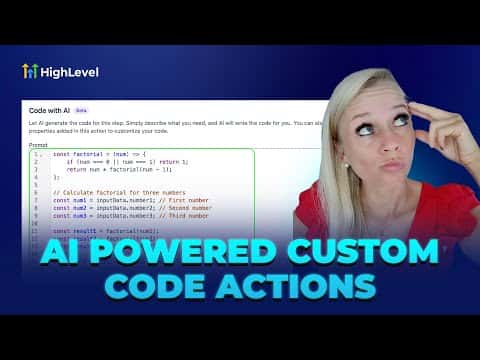
GoHighLevel's workflow builder includes an AI code generator that writes custom JavaScript for you inside the Custom Code action. Describe what you need in plain language, and the AI produces working code you can review and save. This removes the barrier for founders who need logic beyond standard actions but do not want to write code from scratch.

अपडेट: 2 जून 2026

3:15

सारांश. The AI code generator inside GoHighLevel workflows lets you create custom JavaScript actions by describing your goal in plain text. The AI drafts the code, which you can edit or accept directly inside the workflow builder. This makes advanced data transformations and API calls accessible without requiring a developer on every project.


लोग जो सवाल पूछते हैं

Where do I find the AI code generator in workflows?

Add a Custom Code action, then use the AI prompt field inside that action.

Can I edit the AI-generated code before saving?

Yes, the code appears in an editable panel before you save the action.

What language does the custom code action use?

GoHighLevel's Custom Code action runs JavaScript in a sandboxed environment.

उन लोगों के साथ बनाएँ जो पहले बना चुके हैं।

फ्री कम्युनिटी से जुड़ें: हर हफ़्ते लाइव कॉल, एक स्टार्ट-हियर कोर्स और आपकी भाषा में बोलने वाले बिल्डर्स।

Skool पर फ्री जुड़ें